
Vector graphics — what they are and why they matter The format every logo, icon, and production-ready cut path lives in.
Vector graphics are images defined as mathematical paths — points, curves, and fills — rather than grids of pixels. The math means they scale infinitely without losing quality, store in tiny files (a logo can be 5 KB instead of 5 MB), and produce the closed, clean geometry that vinyl plotters, embroidery digitizers, CNC routers, and screen-print presses all need. Common formats: SVG (web), AI (Illustrator source), EPS (legacy print), PDF (vector inside), DXF (CNC).
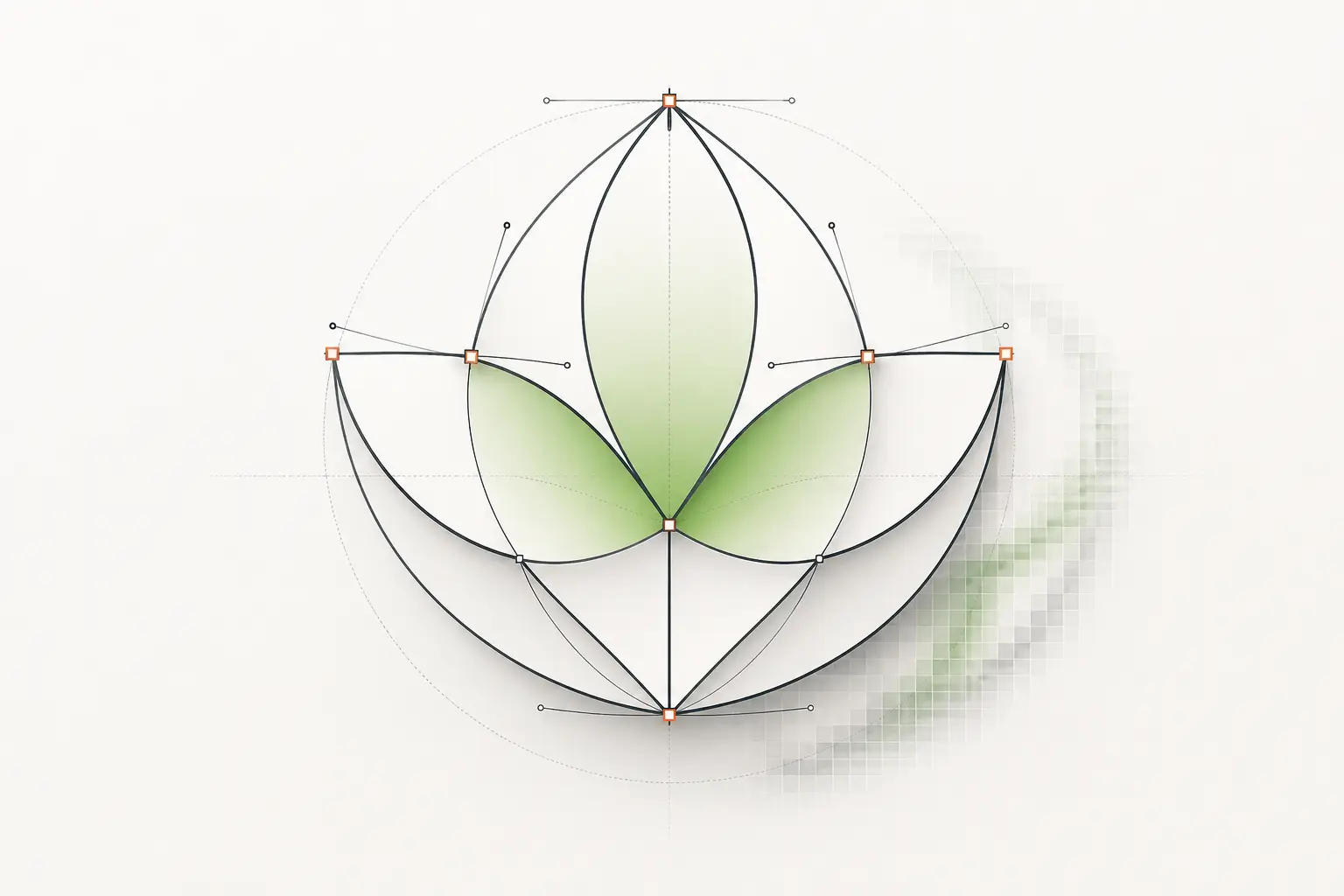
What are vector graphics?
Vector graphics are images stored as instructions for how to draw them, not as the drawing itself. A vector logo is a list of points, curve shapes, and fills — together they tell any compatible renderer (your browser, a vinyl plotter, a CNC router) how to reproduce the artwork at any output size.
The opposite is raster graphics, which store the image as a grid of pixels (small coloured squares). Both formats are essential in modern design — they’re tools for different jobs, not alternatives. Photographs are always raster; logos and production-output artwork are almost always vector.
How vector graphics work, briefly
Every vector image is built from a small set of primitives: anchor points, straight or curved segments connecting them (Bézier curves, named after Pierre Bézier who published the math at Renault in 1962), fills (solid colours or gradients), and strokes (outline weights). A logo is typically 10–100 anchor points; a complex illustration might be 1,000–10,000.
When a vector file renders, the software walks the path list and draws each shape at the requested output resolution. The same file rendered at 100 px and 10,000 px produces sharp output at both — the math is recomputed at each size.
Common vector file formats
| Format | Best for | Notes |
|---|---|---|
| SVG | Web display, icons, modern cut software | XML-based, embeddable in HTML, styleable with CSS. |
| AI (Adobe Illustrator) | Editing source | Proprietary but ubiquitous; native to Illustrator. |
| EPS | Legacy print, sign-shop software, RIPs | Older PostScript dialect; widely supported. |
| Print production, customer proofing, document exchange | Can hold vector + raster + type. PDF/X-4 is the print-production subset. | |
| DXF | CNC routing, laser cutting, plasma, waterjet | AutoCAD’s drawing exchange format. R12 or AutoCAD 2000 dialect is most widely supported. |
| EMF / WMF | Windows-native legacy formats | Mostly historical; SVG has replaced both for new work. |
Why production buyers care
Production processes — vinyl plotters, embroidery digitizers, screen-print presses, CNC routers, fiber-laser engravers — all consume vector data, not raster. A sign shop running a Roland plotter feeds it AI or EPS. A laser cutter wants closed-path DXF. An embroidery digitizer wants stitch-friendly vector geometry.
The plotter has no concept of pixels — it moves a blade along the path you give it. If the path is open (start and end points don’t connect), or has hundreds of redundant nodes from a poor auto-trace, the cut comes out wrong. Vector source quality is the rate-limiting step in production workflows.
Vector vs raster — quick contrast
| Property | Vector | Raster |
|---|---|---|
| Storage | Math (paths, points, curves) | Pixel grid |
| Scaling | Infinite, no quality loss | Pixelates when enlarged |
| File size (logo) | ~5 KB | ~500 KB to 5 MB |
| Best for | Logos, icons, production output | Photos, screenshots, painterly art |
| Editing tool | Illustrator, Inkscape, Figma, Affinity Designer | Photoshop, GIMP, Affinity Photo |
For the long-form comparison with conversion paths, see our dedicated raster vs vector guide.
When to use vector
- Logos and brand marks — they live in vector forever.
- Icons and UI graphics — SVG icon sets scale infinitely.
- Illustrations with flat colour areas, gradients, and clean lines.
- Anything heading to a vinyl plotter, embroidery digitizer, CNC, or screen-print press.
- Any artwork that needs to print at multiple sizes (business card to billboard).
- Cut files for paper crafting (Cricut, Silhouette).
- Architectural and engineering drafting.
When vector is the wrong choice
- Photographs — raster is the right tool.
- Painterly, textured, or impressionistic art that depends on brush-stroke variation.
- Screen captures or screenshots.
- Anything where you need millions of subtle tone variations (sunsets, skin tones, atmospheric haze).
Tools for working with vector graphics
- Adobe Illustrator
- Industry-standard editor. $22.99/mo standalone. Job listings still ask for it by name.
- Inkscape
- Free, open-source. Excellent Pen tool. Best free option for serious vector work.
- Affinity Designer
- $69.99 one-time. No subscription. Good for designers who want pro-grade tools without recurring cost.
- Figma
- Free for 3 files, $15/mo Pro. Web-first. Strong for UI/icon work; basic vector editing.
- CorelDRAW
- $269/yr or $549 perpetual. Strong in sign-shop and wedding-stationery markets.
- Vectorizer.AI / vector.ai / Adobe Firefly Vector
- AI-driven raster-to-vector converters. $9–25/mo. Use for stylistic conversion or one-shot vectorisation; production-spec work still needs a designer.
Related articles
Drawn by hand. Built for production.
Instant pricing, no commitment. Production-correct vectors in your inbox in 24.