How to learn vector art — a beginner’s path Tools, practice drills, and when to hire out.
Pick one vector editor (Inkscape if you’re budget-conscious, Illustrator if you’ll do this professionally, Figma if you’re web/app-focused). Spend a week getting fluent with the Pen tool — that’s the single highest-leverage skill. Then build real projects: trace icons, redraw logos, convert sketches. Avoid tutorials that teach features; do tutorials that teach finished pieces.

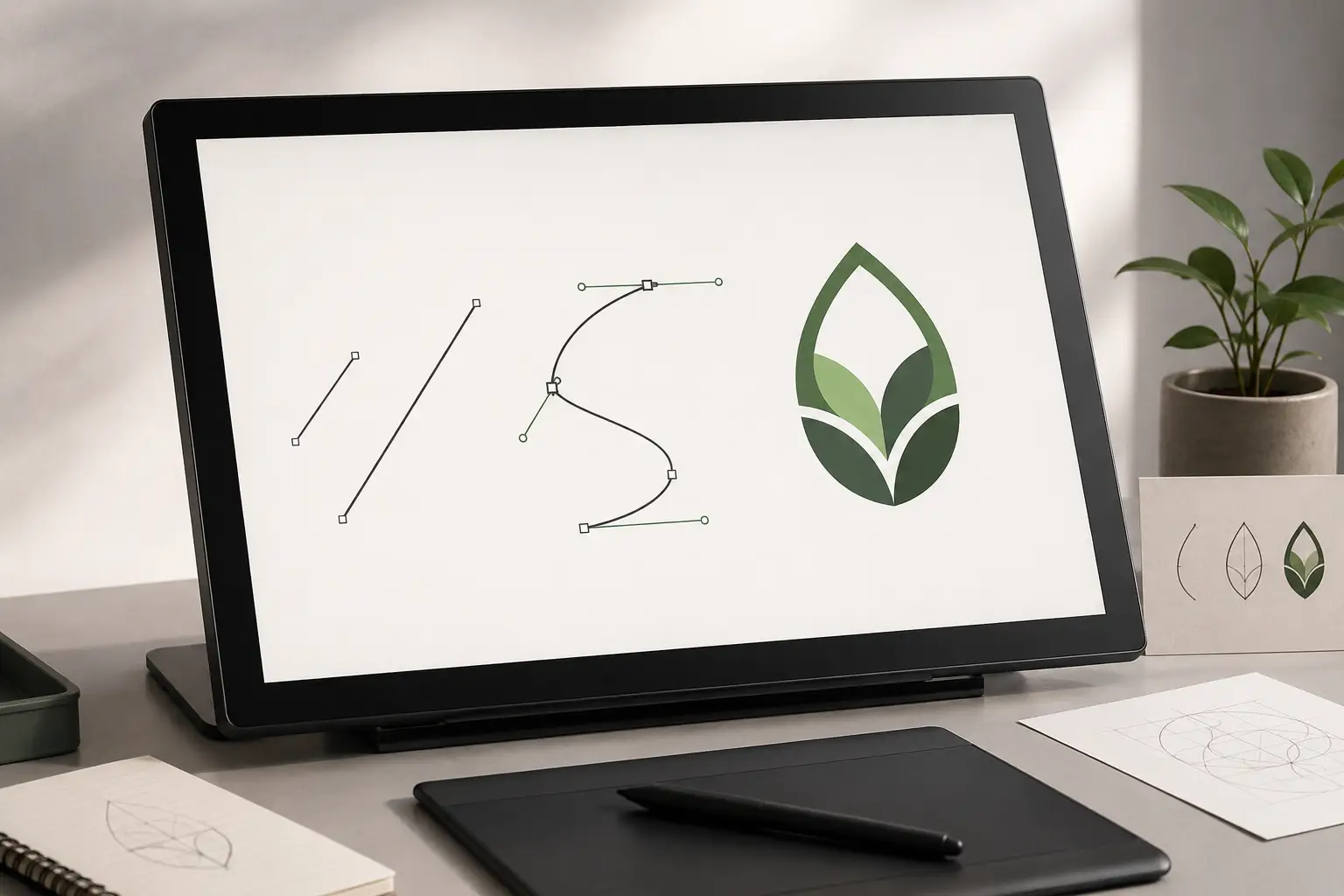
- Pick one tool
Don’t learn multiple at once. Inkscape (free), Illustrator (industry standard), Affinity Designer (one-time purchase), or Figma (web-first). Pick one based on intent; switch later if needed.
- Master the Pen tool first
Bezier curves are the foundation. Spend a focused week — 30 minutes a day — on Pen tool drills. Once Pen feels natural, everything else is iterative refinement.
- Trace real things
Re-create existing logos, icons, illustrations. Tracing trains your eye and hand together. After 20 traces, you’ll see how professional vector art is constructed.
- Build original work
Move from tracing to original illustrations. Start with simple icon design or a personal logo, then characters or scenes. Iterate weekly.
Pick one tool — and stick with it
The single biggest beginner mistake is hopping between tools. Each one’s Pen tool feels slightly different. Hopping means restarting muscle memory each time. Pick one based on your trajectory and commit for at least 3 months.
| Tool | Pricing | Best for |
|---|---|---|
| Inkscape | Free / open-source | Anyone learning on a budget. Pen tool is solid; community tutorials are abundant. |
| Adobe Illustrator | $22.99/mo standalone, $59.99/mo CC | Anyone planning to work professionally — Illustrator is the industry standard. Job listings still ask for it. |
| Affinity Designer | $69.99 one-time | Anyone who wants industry-grade output without the subscription model. Lighter learning curve than Illustrator. |
| Figma | Free for 3 files, $15/mo Pro | Web/app designers. Vector tools are basic but plenty for UI design; collaboration is the killer feature. |
| CorelDRAW | $269/yr, $549 perpetual | Sign shops specifically — many still run CorelDRAW workflows. Skip unless you’re entering that industry. |
Week 1: master the Pen tool
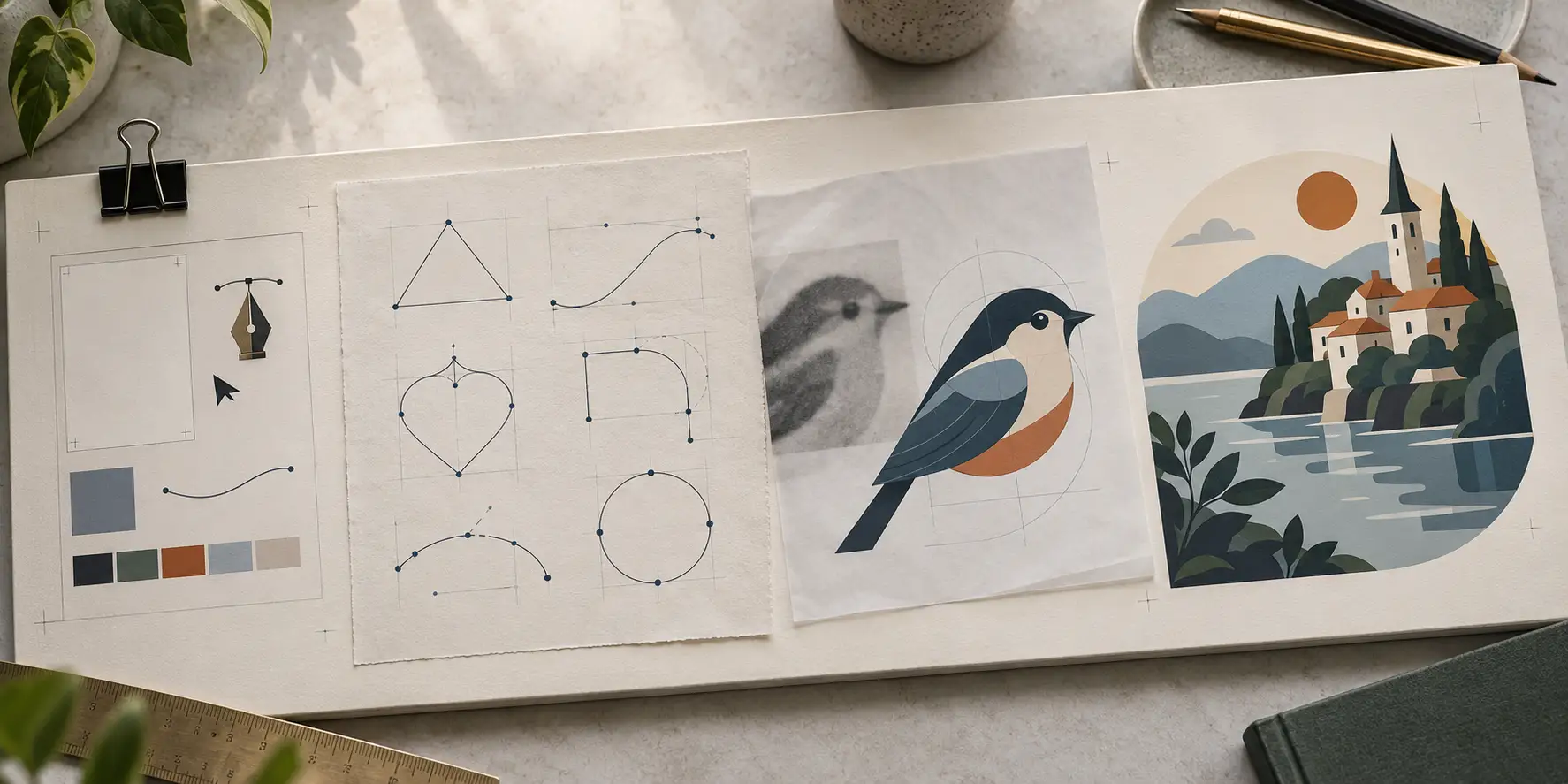
Bezier curves are unintuitive. They feel awkward until they don’t. Spend a week on Pen drills before doing anything else — every minute here pays off later.
- Day 1: Straight lines only. Click → click → click → close path. Draw triangles, squares, simple polygons.
- Day 2: Smooth curves. Click-and-drag to create curve handles. Re-draw the alphabet (lowercase letters first).
- Day 3: Mixed paths. Combine straight segments and curves to draw simple icons — heart, star, leaf.
- Day 4: Editing existing paths. Add/remove anchor points, convert between corner and smooth, drag handles to adjust.
- Day 5: Tracing exercises. Import a simple raster icon and trace it pixel-accurate with the Pen tool only.
- Day 6: Speed. Re-do day 5 with the goal of finishing in half the time. Don’t sacrifice accuracy.
- Day 7: Logos. Pick a famous simple logo (Nike, Apple, Twitter bird) and rebuild from scratch.
By the end of week 1, the Pen tool should feel like a pencil. If it still feels foreign, repeat week 1 — there’s no shortcut, but the investment compounds.
Weeks 2–4: trace real things
Tracing isn’t plagiarism for learning purposes — every designer learned this way. The goal is training your eye and hand together, not building portfolio work.
- Logos: Nike, Apple, Twitter, Spotify, Mastercard, FedEx. Identify why each design choice was made.
- Icons: Material Icons, Heroicons, Phosphor. Trace 50 icons in a row. Speed matters at this point.
- Illustrations: Find simple flat illustrations on Behance, Dribbble, or Unsplash. Trace 5 complete pieces.
- Type: Trace one letter from a hand-lettered piece. Then a word. Then a phrase.
Weeks 5+: original work
Move from tracing to original design. Start small (single icons) and scale up (full illustrations) as confidence grows.
- Personal logo
- Your own initials or a wordmark. Iterate 10 versions. Pick one. Use it on your portfolio.
- Icon set (5–10 icons)
- Pick a theme (weather, kitchen, tools) and design a complete consistent set. Practices visual rhythm and grid discipline.
- Hand-drawn illustration
- Sketch by hand, import as reference layer, vectorize on top. Practices the photo-to-illustration workflow used in commercial design.
- Character or scene
- More ambitious. Builds composition skills, color palette decisions, and a portfolio piece.
Recommended learning resources
| Type | Resource | Why |
|---|---|---|
| Free | Inkscape Beginner’s Guide (inkscape.org/learn) | Comprehensive walkthrough of every tool in the editor. |
| Free | Adobe Illustrator Tutorials (helpx.adobe.com) | Official Adobe tutorials for Illustrator users. |
| YouTube | Spoon Graphics, Satori Graphics | Project-based tutorials, not feature tours. |
| Paid | Domestika 'Logo Design with Illustrator’ courses | $20–60 per course, instructor-led, real portfolio output. |
| Paid | Skillshare 'Vector Illustration’ classes | Subscription model; good for breadth-first exploration. |
| Book | 'The Adobe Illustrator CC Classroom in a Book’ (Adobe Press) | Reference-grade; updated annually. Skim, don’t read cover-to-cover. |
Mistakes beginners make (and how to avoid them)
- Tool-hopping. Pick one editor and commit for 3 months minimum.
- Skipping the Pen tool drills. Every shortcut taken here costs hours later.
- Watching tutorials instead of doing. 80% of your time should be drawing, not watching.
- Building only what tutorials told you to. Originality requires you to leave the tutorial path.
- Comparing your week-2 work to a pro’s decade-2 work. Compare your week-8 to your week-1 instead.
- Auto-tracing instead of hand-drawing. AI vectorizers are great tools but they don’t build the Pen-tool muscle you need.
- Not finishing pieces. A half-done illustration teaches less than five complete ones.
Still building your skills? When a job can't wait, hand it to a pro.
While you learn the Pen tool, a VectorWiz designer can turn your artwork into production-ready vectors in 24 hours.
Need something custom? Email hello@vectorwiz.com
When can you turn pro?
There’s no clear line, but a few useful signals: you can complete a clean logo in under 2 hours, you can produce a consistent 10-icon set in a day, your tracing accuracy is within 1–2 anchor points of the source, and you can pick up a brand brief and execute without copying any reference. At that point you’re ready for freelance work — start small, charge what new freelancers charge, build a portfolio.
Frequently asked questions
What’s the best software for learning vector art?
Inkscape if you’re budget-conscious — it’s free, the Pen tool works identically to Illustrator’s, and the community tutorials are abundant. Adobe Illustrator if you’ll work professionally — it’s the industry standard and job listings still ask for it. Skip CorelDRAW unless you’re specifically entering the sign-shop industry.
How long does it take to learn vector art?
A focused beginner can be drawing usable icons and simple logos in 4–6 weeks of daily practice (30+ min/day). Becoming portfolio-grade takes 3–6 months. Becoming professionally fluent enough to take on paid client work — typically 6–12 months. The Pen tool is the rate-limiting skill; everything else builds faster.
Do I need to know how to draw before learning vector art?
Helpful but not required. Many great vector artists started without traditional drawing skills — vector art is more about precision and clean construction than free-hand fluidity. That said, even basic sketching skills make idea generation faster, and the eye-training translates directly.
Should I learn Illustrator or Figma first?
Depends on your trajectory. If you want to do illustration, branding, or production design, Illustrator. If you’re heading into web/app/UX design, Figma — its vector tools are limited but plenty for UI work, and collaboration is the killer feature. Many designers eventually use both.
Can I learn vector art for free?
Yes — Inkscape is free, Inkscape’s official tutorials are free, YouTube channels like Spoon Graphics are free. Paid courses (Domestika, Skillshare) are accelerators but not requirements. The single biggest investment is consistent practice time, which costs nothing.
Is tracing existing logos OK?
For learning, absolutely — every designer learned this way. Tracing trains your eye and hand simultaneously. Keep traced pieces private (don’t share as original work) and build your portfolio with original designs.
Should I learn AI vector tools (Vectorizer.AI, Firefly)?
Eventually, but not while you’re still building Pen-tool fluency. AI tools are productivity multipliers for designers who already know how to construct vector art — they save time on the geometry step. If you use them as a substitute for learning, you’ll plateau early and struggle with production work that AI tools can’t do (color separation, font outlining, kerf compensation, halftone seps).
How do I build a portfolio as a beginner?
Make 20–30 finished pieces. Original work only. Mix icon sets, logos, illustrations, and one or two longer projects (a poster, a character, a small illustration series). Quality over quantity — five great pieces beat 20 mediocre ones. Self-initiated briefs are fine; you don’t need real clients to build a strong portfolio.
Naimur Rahman
Leads design direction and quality at VectorWiz. Reviews and redraws production artwork by hand across sign, screen-print, embroidery, and CNC work.
Related articles
Drawn by hand. Built for production.
Hand-redrawn from $19, back in 24 hours. Upload for an instant price, no commitment.