Vector file formats — which one does your production process need? SVG, EPS, AI, PDF, DXF — five formats, five different jobs.
The five vector file formats that matter for production are SVG, EPS, AI, PDF, and DXF. Use AI or EPS as your editable master and for print and sign work. Use SVG for the web and modern cutting software. Use PDF (vector inside, ideally PDF/X) to hand artwork to a commercial printer. Use DXF for CNC routing, laser cutting, plasma, and engraving — anything that drives a machine tool path. When in doubt, keep a layered AI master and export the format each vendor asks for.

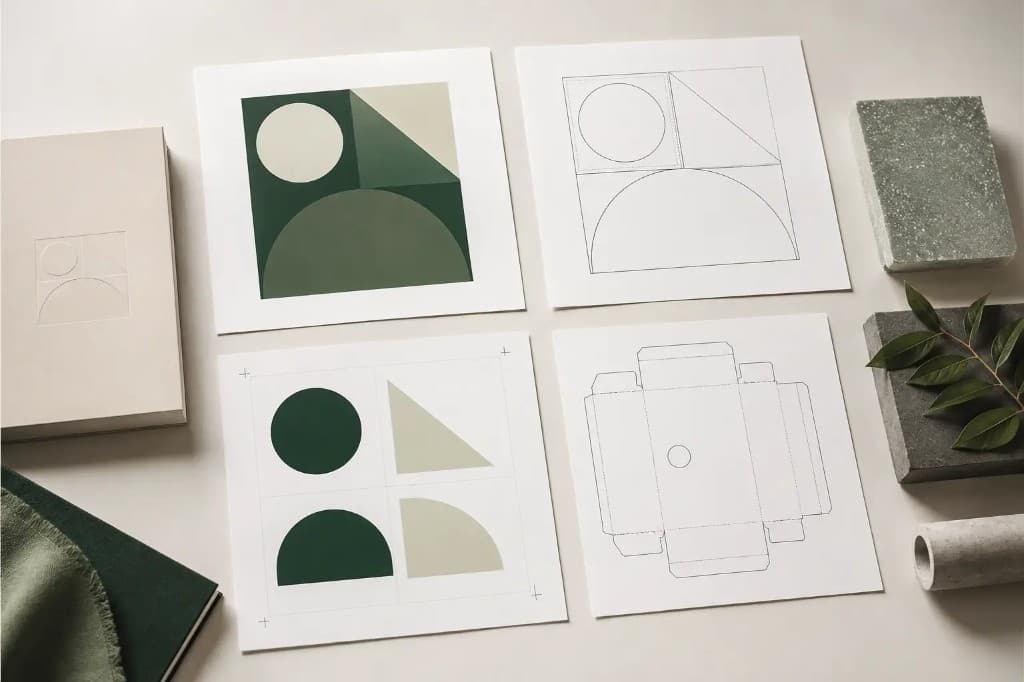
The short version
Every vector format stores the same kind of thing — paths, points, curves, and fills described as math rather than pixels. They differ in who can open them, what extra data they carry (layers, colour profiles, fonts, tool paths), and which downstream machine or press expects them. Pick by destination, not by habit.
Format vs use-case — the quick map
| Process | Best format | Also accepted | Why |
|---|---|---|---|
| Sign / vinyl plotter | EPS or AI | SVG, PDF, DXF | Closed cut paths; sign software (Flexi, SignLab) is built around EPS/AI. |
| Screen printing | AI or EPS | PDF (vector) | Spot-colour separations and overprint live cleanly in AI/EPS. |
| Embroidery digitizing | AI or EPS | SVG, PDF | Clean joins and no spurious nodes give the digitizer good stitch source. |
| CNC routing / plasma | DXF | AI, EPS | CAM software reads DXF tool paths directly; closed paths required. |
| Laser cutting | DXF or SVG | AI, EPS, PDF | Cut/score/engrave layers map to DXF layers or SVG colours. |
| Engraving | DXF or AI | EPS, SVG | Single-stroke or outline-only paths drive the engraver. |
| Commercial print | PDF/X (vector) | AI, EPS | PDF/X bundles fonts, vector art, and the ICC colour profile for the press. |
| Web / app | SVG | SVG is native to browsers, animatable, and tiny for flat art. |
SVG — Scalable Vector Graphics
SVG is an open, XML-based, text-readable vector format and the native vector language of the web. Every modern browser renders it directly, it animates with CSS or JavaScript, and for flat logos and icons it is often 10–100× smaller than the equivalent PNG. Modern cutting software (Cricut Design Space, Silhouette Studio, many laser tools) treats SVG as a first-class input.
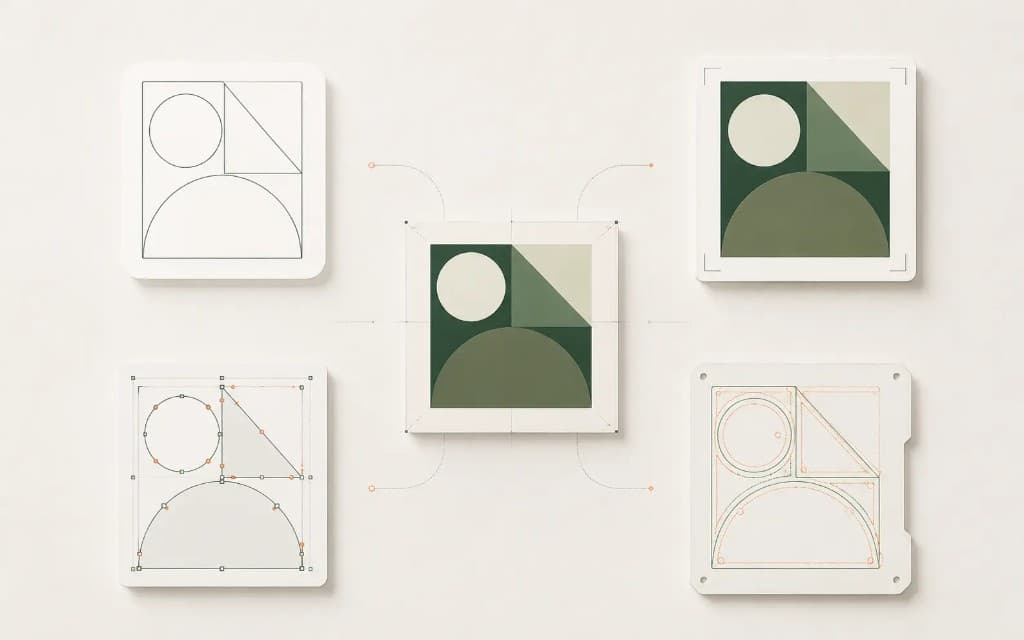
- Reach for it when: the artwork goes on a website, an app, or into hobby/prosumer cutting software.
- Strengths: open standard, human-readable, infinitely scalable, animatable, tiny for flat art.
- Watch out for: weak CMYK / spot-colour support (SVG is an RGB-first format), and inconsistent handling of embedded fonts — convert text to outlines before sending.
EPS — Encapsulated PostScript
EPS is the long-standing interchange format for print and sign production. It is PostScript wrapped so it can be placed inside another document, and almost every professional design and sign application can open or import it. For decades it has been the safe lowest-common-denominator file to hand a vendor whose software you do not know.
- Reach for it when: a sign shop, screen printer, or print vendor asks for vector and you are not sure what they run.
- Strengths: near-universal vendor support, carries CMYK and spot colours, reliable for cut paths.
- Watch out for: it is an older container — it does not preserve layers or live editability the way a native AI file does. Keep an AI master and export EPS as a delivery copy.
AI — Adobe Illustrator
AI is Adobe Illustrator’s native format and the de-facto master format for professional vector work. It preserves layers, editable type, swatches, spot colours, and effects. Most production studios keep the AI file as the source of truth and export EPS, PDF, SVG, or DXF from it on demand.
- Reach for it when: it is your working master, or the vendor explicitly runs Illustrator.
- Strengths: full layer and editability, rich colour handling, the cleanest source to re-export every other format from.
- Watch out for: it is proprietary — not every shop can open the latest AI version. When in doubt, also send a PDF or EPS, and outline your fonts in the delivery copy.
PDF — Portable Document Format
PDF is a container that can hold vector paths, raster images, fonts, and a colour profile all at once. A PDF exported from Illustrator is vector inside and prints crisp at any size; a PDF that is a scan is raster inside and will not. For commercial print, the PDF/X family (PDF/X-1a, PDF/X-4) is the standard hand-off because it bundles everything the press needs and locks the colour intent.
- Reach for it when: handing finished artwork to a commercial printer (use PDF/X), or sending a safe view-anywhere proof.
- Strengths: holds vector + raster + fonts + colour profile; PDF/X is a true print standard.
- Watch out for: ambiguity (vector vs raster inside) and the fact that a generic PDF is not the easiest file to re-edit.
DXF — Drawing Exchange Format
DXF is AutoCAD’s interchange format and the language of machine tooling. CNC routers, laser cutters, plasma tables, and engravers read DXF tool paths through their CAM software. It is unit-aware and layer-aware, so cut, score, and engrave operations can live on separate layers. For any process that drives a physical cutting head, DXF is usually the file the machine actually wants.
- Reach for it when: the artwork drives a CNC router, laser, plasma table, or engraver.
- Strengths: native to CAM workflows, unit-aware, layer-aware for cut/score/engrave separation.
- Watch out for: dialect and unit mismatches. Many shops want a specific DXF version (AutoCAD 2000 / R12 is a common safe target) and explicit units (mm vs inch). Confirm both, and make sure every path is closed.
Not sure which format your machine needs? We deliver the right one.
SVG, EPS, AI, PDF, DXF — a human redraws your file production-correct in the exact format your workflow runs. 24 hours.
Need something custom? Email hello@vectorwiz.com
Deciding for a real job
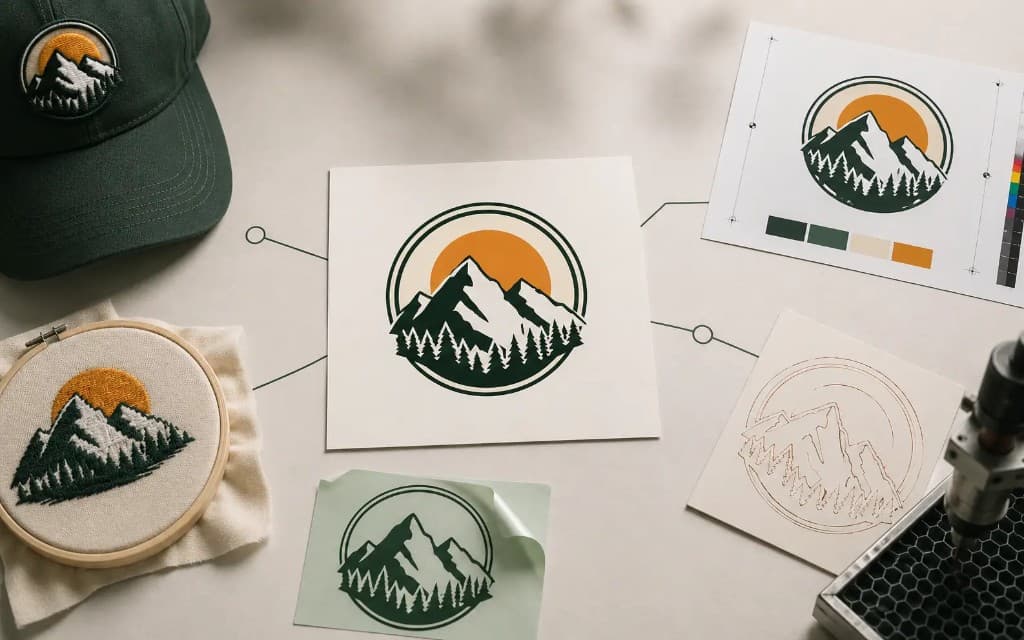
- I run a vinyl plotter
- EPS or AI with closed cut paths. SVG or DXF also work in many sign apps — confirm with the shop.
- I’m screen printing a multi-colour design
- AI or EPS so spot-colour separations and overprint survive. Outline the type before sending.
- I’m handing a logo to an embroidery digitizer
- AI or EPS with clean joins and no stray nodes. Hand-rebuilt vector beats auto-traced for stitch quality.
- I’m CNC routing or plasma cutting
- DXF, closed paths, in the version and units the CAM software expects (often AutoCAD 2000 dialect, mm).
- I’m laser cutting and engraving
- DXF or SVG with cut, score, and engrave on separate layers or colours so the laser maps each operation.
- I’m sending artwork to a commercial printer
- PDF/X with fonts embedded and the correct ICC profile. Keep your editable AI master in case of changes.
- I’m putting a logo on a website
- SVG — native to browsers, scalable, animatable, and tiny for flat-colour art.
Frequently asked questions
What is the best vector file format?
There is no single best format — it depends on the destination. Use AI or EPS as your editable master and for print and sign work, SVG for the web and modern cutting software, PDF/X to hand artwork to a commercial printer, and DXF for CNC, laser, plasma, and engraving. Keep a layered AI master and export whatever each vendor asks for.
Which vector format should I send to a sign shop?
EPS or AI is the safest choice because sign software (Flexi, SignLab, and similar) is built around them and they carry CMYK and spot colours. Many shops also accept SVG, vector PDF, or DXF. Outline your fonts in the delivery copy so the shop does not need your typefaces installed.
What format do CNC and laser machines need?
DXF is the standard for CNC routers, plasma tables, and engravers because CAM software reads its tool paths directly. Laser cutters take DXF or SVG with cut, score, and engrave on separate layers or colours. Make sure every path is closed and confirm the DXF version and units (mm vs inch) the shop expects.
Is a PDF a vector file?
It can be either. PDF is a container that holds vector paths, raster images, or both. A PDF exported from Illustrator is vector inside and prints crisp at any size; a PDF that is a scan or photo is raster inside. Open it in Illustrator or Acrobat Pro’s Output Preview to confirm which you have before treating it as production vector.
What is the difference between EPS and AI?
AI is Adobe Illustrator’s native format and preserves layers, editable type, and effects — it is the master file. EPS is an older interchange format that almost any vendor can open but does not preserve full editability. Keep the AI as your source of truth and export EPS as a delivery copy when a vendor needs broad compatibility.
Should I use SVG for print?
Usually no. SVG is an RGB-first web format with weak CMYK and spot-colour support, so for commercial print you want PDF/X, AI, or EPS instead. SVG is excellent for websites, apps, and many hobby/prosumer cutting tools, but hand a printer a colour-managed PDF/X rather than an SVG.
Why does my vendor charge a redraw fee for a PNG or JPG logo?
PNG and JPG are raster (pixels), and production tools like plotters, digitizers, and CNC tables need vector paths to drive a cut or stitch. If you send raster, the vendor has to redraw it as vector first — which is the work you are being charged for. Send true vector, or have the logo rebuilt as clean vector before production.
Do I need to convert fonts to outlines before sending a vector file?
Yes, in your delivery copy. If the vendor does not have your exact typeface installed, live text reflows or substitutes and the layout breaks. Outlining (converting type to paths) locks the lettering as artwork. Keep a separate master with editable text in case you need to change the wording later. For the full method, see How to convert text to outlines.
Which vector format does a vinyl cutter or plotter need?
EPS or AI with every cut path closed is the safest input for sign plotters — Roland, Graphtec, Summa and similar machines drive their cuts from those through Flexi, SignLab, or the printer's own cut software. Many also take vector PDF, SVG, or DXF. Whatever the format, the cut lines must be closed vector paths, not open strokes.
What file does a print-and-cut sign job need?
Vector art plus a separate, named contour-cut path — usually AI, EPS, or PDF. The printer lays down the graphic and the cutter follows the cut path against registration marks, so the cut line lives on its own layer as a clean closed path rather than mixed into the artwork.
Imran Hossain
Owns the tooling and automation behind our workflow. Keeps file output precise and consistent.
Related articles
Drawn by hand. Built for production.
Hand-redrawn from $19, back in 24 hours. Upload for an instant price, no commitment.