Yard sign vector setup: print-ready coroplast.
A yard sign file should be built at the finished size (18x24 inches is standard) as vector, with the logo and type kept vector so they stay crisp, bleed past the trim, and a safe margin holding the message clear of the edge. Yard signs are read from the curb, so big, bold, high-contrast wins. For a double-sided sign, set up both faces and note the stake orientation so the second side reads correctly.

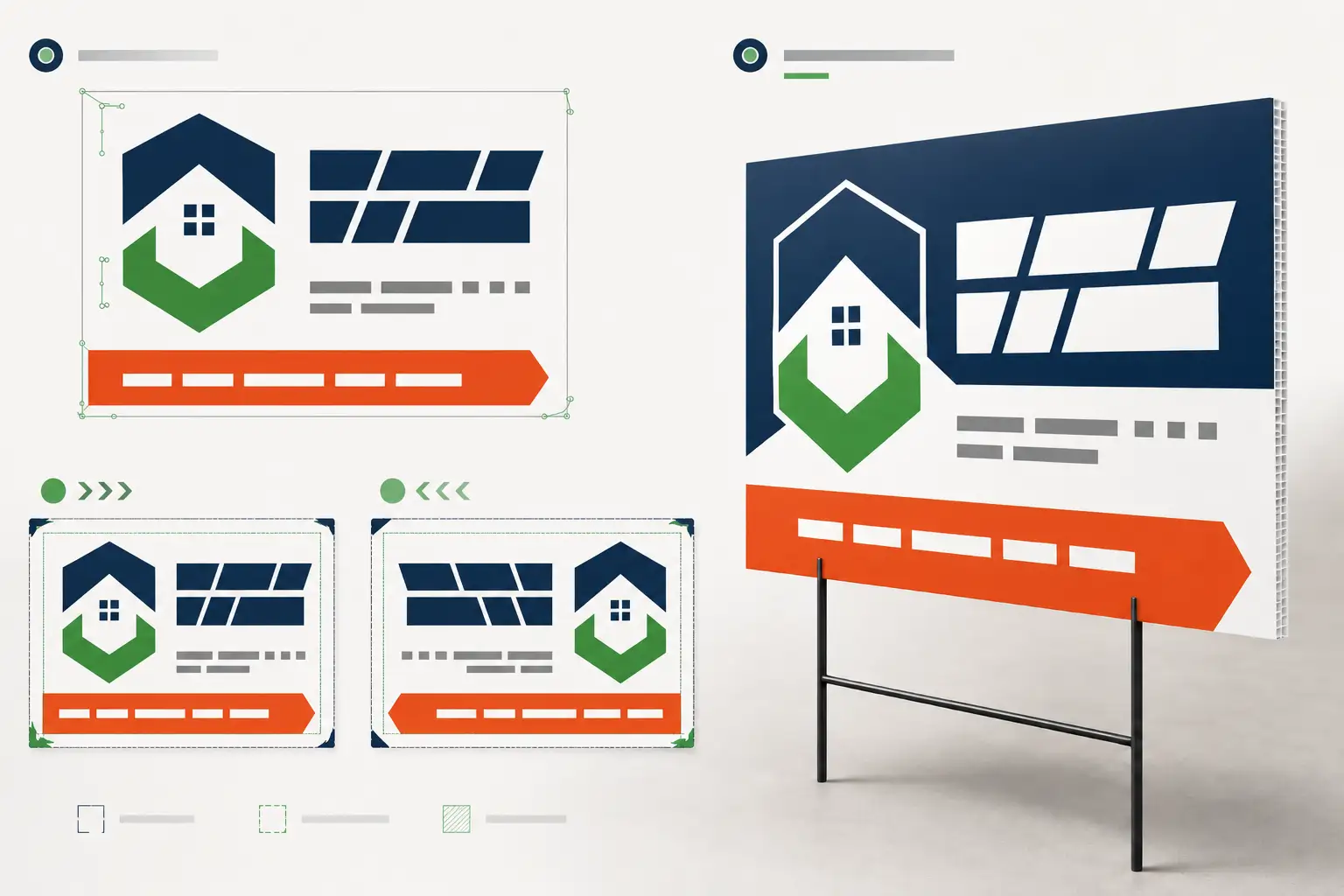
Yard signs are small, cheap, and printed by the hundred — which is exactly why a clean file matters. Get it right and a run prints flawless; get the bleed or the safe margin wrong and every sign in the batch has a trimmed headline. Here is the quick, correct setup.
Finished size, vector, bold
Build the file at the finished size — 18 by 24 inches is the standard — with the logo, type, and shapes as vector so they stay crisp. Most yard signs are all type and flat color, which is ideal for vector. They are read from a moving car or across a lawn, so favor big, bold type and high contrast over fine detail. A raster logo blown up to fill the sign pixelates; rebuild it as vector first.
Bleed and safe margins
Extend the background past the trim line so the finished edge is fully printed, and hold the headline, phone number, and logo inside a safe margin so nothing critical is trimmed. Coroplast cutting has a little play, so those margins are what keep the message intact if the cut drifts a hair. It is the same bleed-and-safe-margin discipline as any print sign.
Double-sided and stake orientation
For a double-sided sign, set up both faces in the file and confirm the second side reads the right way up relative to how it mounts on the stake or step-stake. If the two faces differ, label them clearly so the printer runs the correct art on each side. A mislabeled back is the classic yard-sign reprint.
Send the copy. Get a print-ready yard sign file back.
Finished size, vector logo and type, bleed, safe margins, one or both faces laid out — print-ready for coroplast in 24 hours.
Need something custom? Email hello@vectorwiz.com
Which file to send the printer
A vector PDF, AI, or EPS with fonts outlined is the safe hand-off for a yard-sign run; the format guide covers the trade-offs. Clean vector also means the same file scales up to a banner or down to a smaller sign without a rebuild, so a yard-sign job often seeds the rest of a campaign.
Frequently asked questions
How do I set up a yard sign file for print?
Build it at the finished size (18x24" is standard) as vector, with the logo and type as vector so they stay crisp, bleed past the trim, and a safe margin holding text clear of the edge. Big, bold, high-contrast reads from the curb. If it is double-sided, set up both faces and note the stake or step-stake orientation.
Does a yard sign need bleed and a safe margin?
Yes. Extend the background past the trim so the cut edge is fully printed, and keep the headline and phone number inside a safe margin so nothing important is trimmed off. Coroplast cutting has a little play, so the margins keep the message safe if the cut drifts.
Should yard sign art be vector or raster?
The logo, type, and shapes should be vector so they stay sharp — most yard signs are all type and flat color, which is ideal for vector. Photos can be high-resolution raster, but a raster logo blown up to fill a sign pixelates. If it is a raster logo, rebuild it as vector first.
How do I handle a double-sided yard sign?
Set up both faces in the file, confirm any second side reads the right way up relative to the stake, and keep both within bleed and safe margins. If one side is a mirror or a different message, label the faces clearly so the printer runs them correctly.
Can VectorWiz prep yard sign artwork?
Yes. We rebuild the logo and type as clean vector, set the file at the finished size with bleed and safe margins, and lay out one or both faces — print-ready for coroplast. Standard turnaround 24 hours, Rush 12; send the size and copy.
Naimur Rahman
Leads design direction and quality at VectorWiz. Reviews and redraws production artwork by hand across sign, wrap, screen-print, and CNC work.
Related articles
Drawn by hand. Built for production.
Instant pricing, no commitment. Production-correct vectors in your inbox in 24.