How to convert a GIF to vector. GIF to vector — dithering is what the trace actually follows.
A GIF is a grid of pixels painted from a palette of at most 256 colors. Nothing in that grid is a path. Converting one to vector means inventing those paths, either with a tracer that guesses at the edges or with a designer who redraws the mark. A large, single-frame, flat-color GIF with hard edges can be auto-traced in Illustrator or Inkscape and cleaned into a usable file. A dithered GIF, an animation, or anything headed for a vinyl cutter, press, or embroidery machine usually needs a manual redraw, because the dots and the frame you happened to export become part of the trace.
- Open one frame and zoom in
If the GIF animates, pick the frame where the mark is whole. At 400% or more, hard edges and flat color can be traced. A cloud of dots means the tracer will fit noise.
- Match the route to the machine
Auto-trace a clean, large, single-color or flat logo going somewhere forgiving. Redraw anything dithered, animated, or headed for vinyl, screen print, embroidery, or CNC.
- Check the paths, not the preview
Closed contours, outlined type, one shape per real color, and a sane node count. A trace that looks fine on screen still cuts every dither dot.
What converting a GIF to vector actually means
A GIF does not contain curves, anchors, or editable type. It contains a palette and a grid of indexes into that palette. Some GIFs are a single still. Some are a stack of frames.
Vector formats store geometry instead: anchor points, curve handles, fills, and strokes. Geometry has no fixed resolution, which is why the same logo can print on a label and on a trailer. Getting from a GIF to that file is not an export. Someone, or some algorithm, has to decide where the edges were supposed to be, and which frame was the artwork.
That decision is where GIF files go wrong in a way JPEG and PNG files do not. JPEG damage is a halo from compression. PNG damage, when it shows up, is a soft fringe. A GIF's damage is usually a deliberate pattern of dots, put there so a 256-color palette can pretend to hold more colors than it has.
Send the GIF. Get paths that were drawn.
A designer rebuilds the mark as closed paths with few nodes and outlined type.
Need something custom? Email hello@vectorwiz.com
What a 256-color palette does to an edge
GIF color is indexed. Every pixel stores a number pointing at one entry in a palette, and that palette stops at 256 entries. A flat logo that really uses three or four colors fits easily, and the edges can stay crisp, because GIF compression is lossless once the pixels are chosen. That is the honest case for a trace.
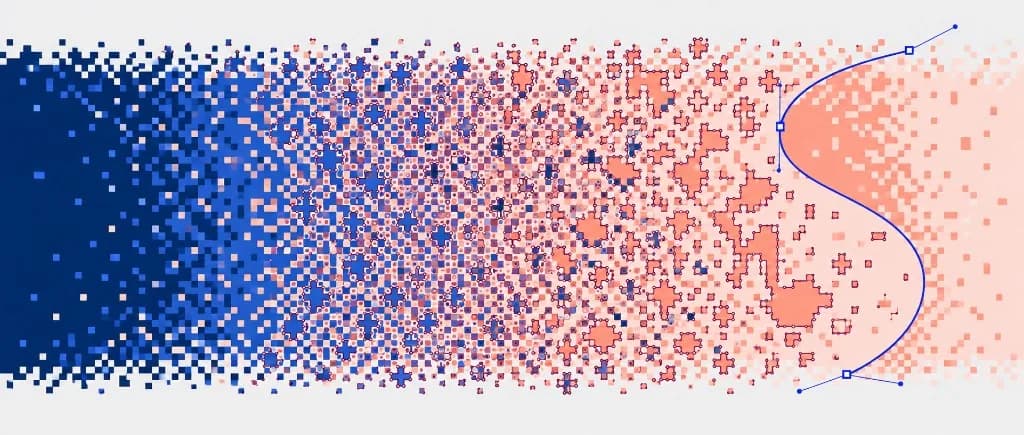
The trouble starts when the artwork wants more colors than the palette has, or a gradient the palette cannot hold. The encoder then dithers: it scatters pixels of the nearest palette colors so the eye averages them into a shade that is not actually in the file. Zoom to 400%. A curve that should be one edge becomes a stipple of dots. A tracer has no idea the dots were a trick, so it lays a path around each clump.
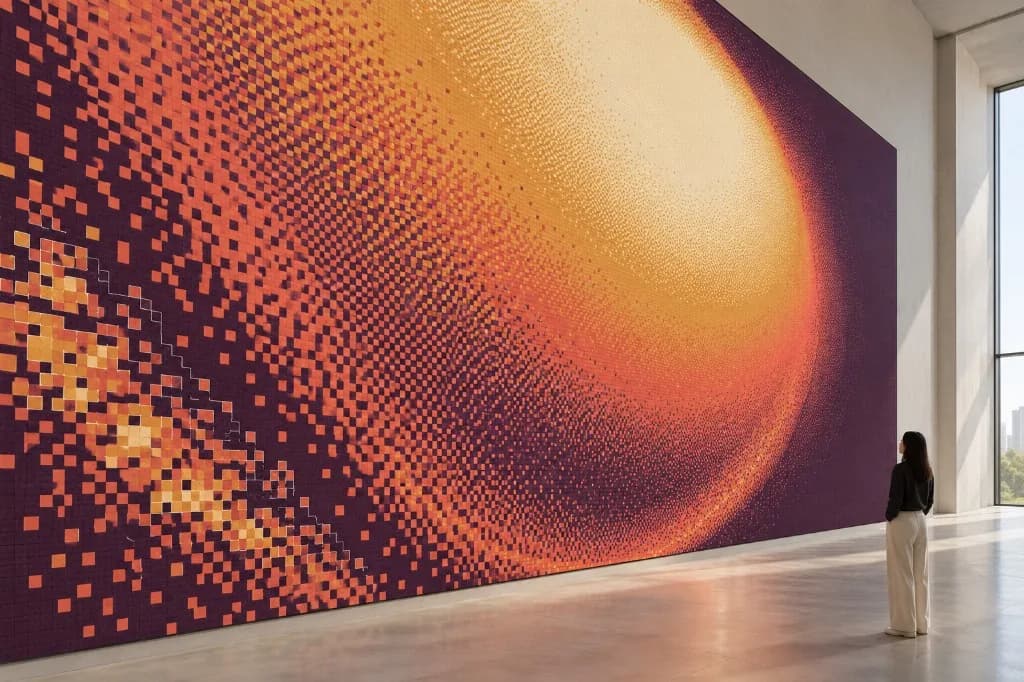
Color count in the trace will not match the logo. A two-color mark that was dithered can come back as dozens of gray islands. Those islands were never inks, threads, or vinyl rolls. They were the encoder's compromise. If you can see the stipple at a normal zoom, the file is already past the point where a trace will save you time.
Check the GIF before you pick a method
The method forks here. Open the file, and if it moves, stop on a single frame before you judge it. Look at the artwork, not the canvas around it.
A large, flat, single-frame logo
Solid colors, edges that stay hard when you zoom, no stipple, no second frame. This is where auto-trace earns its place. Illustrator's Image Trace or Inkscape's Trace Bitmap, set to about as many colors as the mark actually uses, can produce a usable start — and sometimes a usable finish — for a destination that forgives a little cleanup. Web SVG and a one-color proof live here. A cutter usually does not.
A dithered logo, or a tiny export
Social avatars, old web buttons, and anything with a fake gradient land here. Tracing fits every dot. You can spend an afternoon deleting islands and still be looking at a chewed outline. A redraw from the shapes you can still see is the shorter job.
An animation
An animated GIF is several pictures that share a palette. Only one of them, if any, is the logo. The others are motion: a fade, a crop, a smear between positions. Tracing the file as it plays, or tracing a frame grabbed at random, bakes that motion into the paths. Scrub to the frame where the mark is complete and still. If no frame qualifies, you are not looking at a source you can trace. You are looking at a reference for a redraw.
GIF transparency is one color, fully on or fully off
A GIF can flag a single palette index as transparent. Pixels of that index disappear against whatever sits behind the file. Every other pixel is opaque. There is no partial coverage, so there is no soft fringe of the kind a PNG alpha channel carries. What you do get is a hard stair: the edge is whole pixels of the next palette color, often with a leftover halo of a near-background color the encoder did not include in the transparent index.
That index is a property of the source file. A tracer will often draw it, or draw the halo just inside it, as if it were artwork. Leaving it out is part of redrawing the mark, the same way you leave out the dots. A PNG's edge is a different problem, because those pixels are partly transparent rather than a single on-or-off color, which is covered in how to convert a PNG to vector.
What the cutter, press, and digitizer actually need
On screen, a dithered trace can look like the logo if you stand far enough back. A vinyl plotter does not stand back. Each tiny closed shape is a contour, and the blade will try to cut it. Weeding a field of dots is not a production plan. The useful file is a few closed contours, one per vinyl color, with outlined type and a node count a person would recognize as the original curves.
Screen print and embroidery fail the same file for a different reason. Dither islands become extra inks or extra thread colors that were never in the mark. A press wants separated flat shapes. A digitizer wants closed color regions large enough to stitch. Neither can use a stipple that existed only to fool the eye inside a 256-color palette. The same closed-path rule is what a plotter needs, covered in vinyl decal cut paths.
Which file to hand off
| Format | Best for | Watch out for |
|---|---|---|
| SVG | Web and simple logo delivery | Outlined type, or the font will not travel |
| EPS | Screen print and older RIPs | A placed GIF inside an EPS is still a GIF |
| AI | The editable master | Needs Illustrator to open the native file |
| Proofs and print handoff | A PDF can still be the GIF sitting on a page | |
| DXF | Laser, CNC, and routing | Closed paths and real scale, or the toolpath is wrong |
Ask the shop which of those their machine reads before you argue about the extension. Placing the GIF into any of them does not convert it. Click the artwork. If it selects as one rectangle with no anchors, it is still the pixel grid.
When the trace is enough, and when to stop
Try the trace when the GIF is a single frame, the colors are actually flat, the edges stay hard at a high zoom, and the file is going somewhere you can inspect. You may not need anyone's help, and paying for a redraw of a clean file is wasted effort.
- You can see stipple or scattered dots at a normal zoom.
- The GIF animates, and no single frame holds the whole mark still.
- The only copy is a tiny social export or an old web button.
- Type has to match a specific face.
- The job is going to a cutter, router, press, or embroidery machine.
- You have already spent longer deleting islands than a redraw would take.
That last test is the one people skip. Cleanup on a dithered trace does not have a clear end, because the error is the palette. Rebuilding the mark from the shapes you can still see is usually the faster way to a file that cuts. That redraw is the work VectorWiz does when a GIF has to become paths a shop can run: the artwork is reconstructed on purpose, rather than repaired one dot at a time.
A file the shop can actually run
If the GIF is flat, still, and the stakes are low, trace it and check the paths. If the palette has already replaced the edges with dots, or the file is heading for a machine, a redraw is the shorter route to something that works. When the source is a GIF and the output has to cut or print, you can send the file and get back paths that were drawn, not traced.
Frequently asked questions
Can I convert an animated GIF to one vector file?
Yes, but you convert a frame, not the motion. Play the GIF and pick the frame where the mark is whole, still, and large enough to read. If every frame is a blur, a crop, or a pile of dots, none of them is a traceable logo, and a redraw from the shape you can still recognize is the shorter job.
Why does tracing a GIF create thousands of tiny shapes?
That is dithering. A GIF holds at most 256 colors, so gradients and extra colors are faked with scattered pixels of the palette colors. A tracer treats each cluster of those pixels as geometry. Zoom in. If the edge is a cloud of dots rather than a hard boundary, the speckle is the file, and simplifying the path only hides part of it.
Does a GIF have a transparent background?
It can mark one palette color as fully transparent. That is a hard on-or-off choice, not a partial alpha channel. Edge pixels are still whole pixels of a remaining color, and a tracer follows that stair. A redraw builds only the shapes that belong to the mark, because the transparent index was never one of them.
Can I convert a GIF without Illustrator?
Yes. Inkscape is open-source, and Path > Trace Bitmap covers the same ground as Image Trace. For a flat GIF, use a limited number of scans that matches the real colors, not the dither. The limit is the GIF, not the software.
Can a traced GIF be cut on a vinyl plotter?
Only after the paths are closed, the node count is brought down, and the dither dots are not part of the cut. A blade follows every contour it is given. A dithered or tiny GIF is usually faster to redraw than to repair.
Naimur Rahman
Leads design direction and quality at VectorWiz. Reviews and redraws production artwork by hand across sign, wrap, screen-print, and CNC work.
Related articles
Drawn by hand. Built for production.
Instant pricing, no commitment. Production-correct vectors in your inbox in 24.