How to convert a JPG to vector. JPG to vector — compression is what the trace actually follows.
A JPG and a JPEG are the same format: a grid of compressed pixels, with no paths inside. Converting one to vector means inventing those paths, either with a tracer that guesses at the edges or with a designer who redraws the mark. A large, lightly compressed, flat-color logo can be auto-traced in Illustrator or Inkscape and cleaned into a usable file. A small file, a photograph, or anything headed for a vinyl cutter, press, or embroidery machine usually needs a manual redraw, because JPEG blocking and the background baked into the pixels become part of the trace.
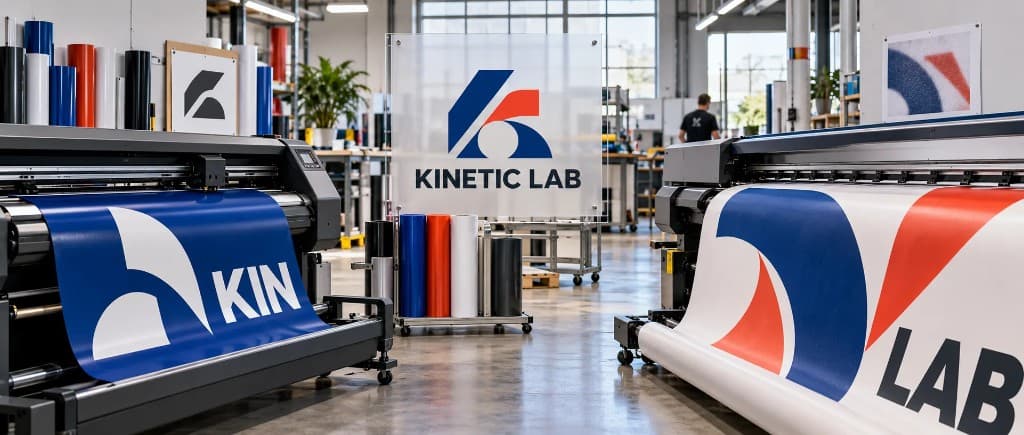
- Zoom in before you trace
Open the JPG at 400% or more. Hard edges and flat color can be traced. Block stairs, a gray halo, or a photo mean the tracer will fit noise.
- Match the route to the machine
Auto-trace a clean, large logo going somewhere forgiving. Redraw anything headed for vinyl, screen print, embroidery, or CNC.
- Check the paths, not the preview
Closed contours, outlined type, separated colors, and a sane node count. A trace that looks fine on screen still fails at the blade.
What converting a JPG to vector actually means
JPG and JPEG are two names for one format. The file holds a fixed grid of color samples that a compression step has already thrown detail away from. Nothing in that grid is a path.
Vector formats store geometry instead: anchor points, curve handles, fills, and strokes. Geometry has no fixed resolution, which is why the same logo can print on a business card and on a trailer. Getting from a JPG to that file is not a conversion in the way a PDF export is a conversion. Someone, or some algorithm, has to decide where the edges were supposed to be.
That decision is where JPEG files go wrong more often than other rasters. The format was built for photographs. Logos, type, and hard-edged marks are the worst thing you can put through it, and they are exactly what shops are asked to cut.
Send the JPG. Get paths that were drawn.
A designer rebuilds the mark as closed, minimum-node paths with outlined type, in 24 hours.
Need something custom? Email hello@vectorwiz.com
What JPEG compression does to an edge
JPEG splits the image into 8×8 blocks and stores each block as a compressed approximation. On a photograph the error hides in texture. On a logo it shows up as two things a tracer will treat as real artwork.
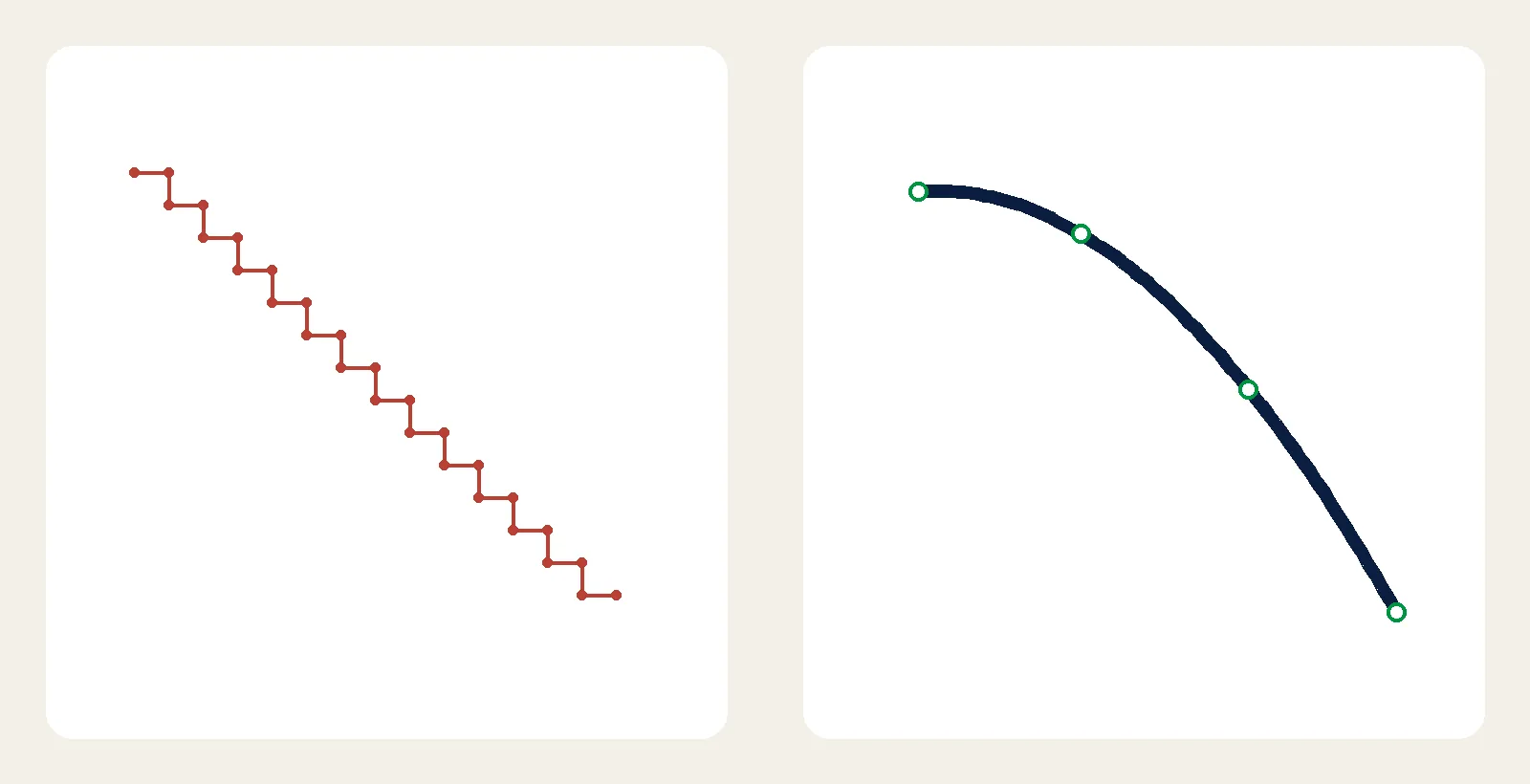
The first is blocking. Zoom in and a curve that should be smooth becomes a staircase, one block at a time. The second is ringing: a pale halo of intermediate pixels around every high-contrast edge, sometimes called mosquito noise. Type and thin rules pick it up the worst. A tracer has no idea the halo was invented by the compressor, so it lays a node along it.
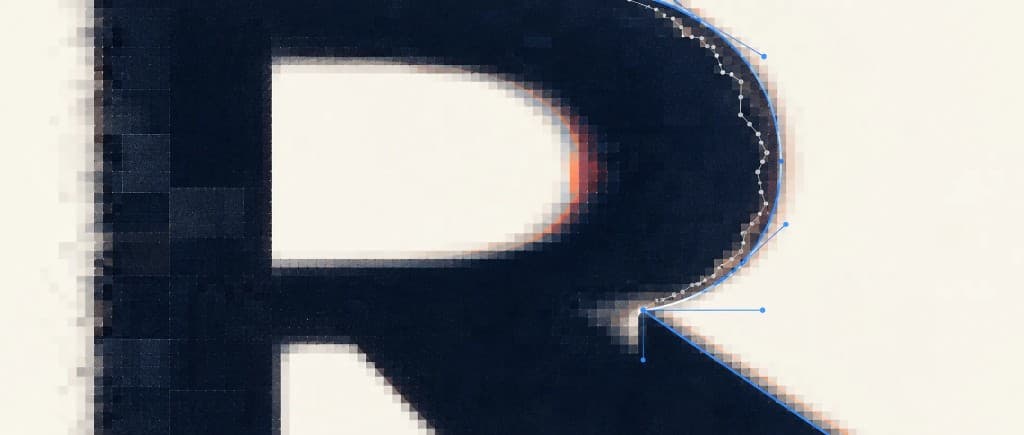
Color suffers a second, quieter loss. Most JPEGs subsample chroma, which means the color information is stored at a lower resolution than the brightness. A red word on a blue field grows a muddy fringe where the two colors meet. A color trace turns that fringe into extra shapes that were never in the logo.
Re-saving makes it worse. A client logo that has been emailed, posted, screenshotted, and saved again has been through the compressor more than once. Each pass adds another halo and another stair. If you can see the blocks at a normal zoom, the file is already past the point where a trace will save you time.
Check the JPG before you pick a method
The method forks here. Open the file and zoom to 400% or more, and look at the artwork itself rather than the canvas around it.
A large, lightly compressed flat logo
Solid colors, edges that stay crisp when you zoom, no photographic texture. This is the case where auto-trace earns its place. If the logo itself is large — on the order of a thousand pixels across or more — Illustrator's Image Trace or Inkscape's Trace Bitmap can produce a usable start, and sometimes a usable finish, for a destination that forgives a little cleanup.
A small logo, or one that has been re-saved
Website headers, social avatars, and photos of a business card land here. The edges are a blend of the logo color and whatever sat behind it, plus the block grid. Tracing fits every step. You can spend an afternoon deleting nodes and still be looking at a chewed outline. A redraw is the shorter job.
A photograph, or a photo of a printed sign
A tracer turns a photograph into stacked color shapes. The result is a posterized illustration, not the photo in a new format. That can be what you want for a stylized mark. It is the wrong tool if you needed the photograph itself. A phone photo of a physical sign adds perspective, glare, and the halftone dots of the original print, all of which the tracer will follow. Use the photo as a reference and rebuild the mark.
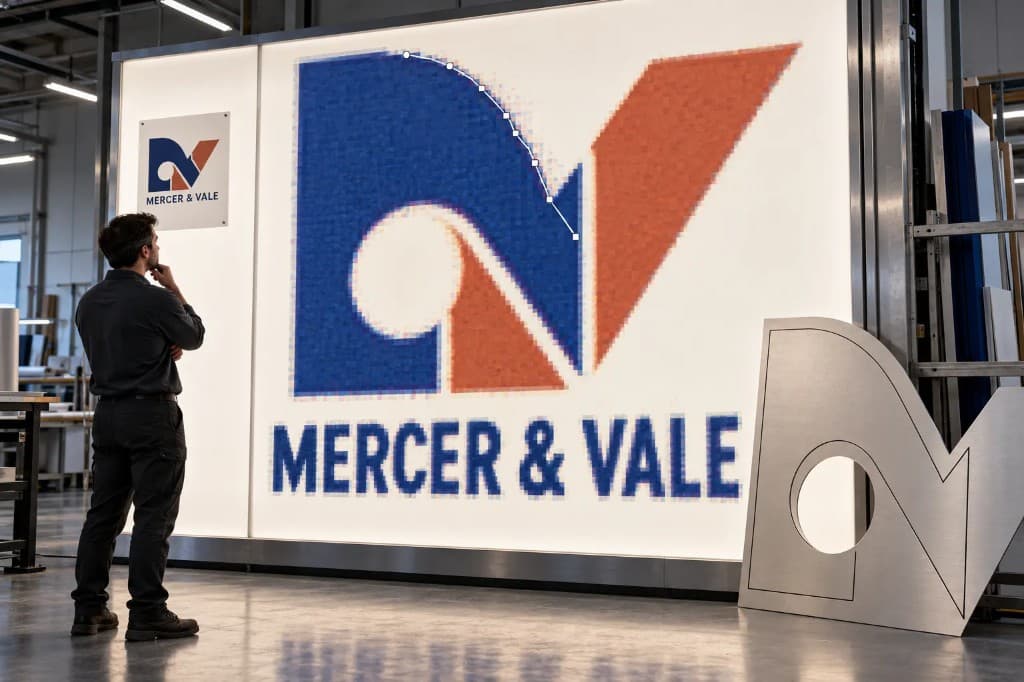
Three ways to get paths out of a JPG
1. Auto-trace, when the file deserves it
In Illustrator, place the JPG, open Window > Image Trace, and pick a limited preset — Black and White Logo for a single-color mark, or a low color count for a simple flat design. Skip the photo presets on a logo; they invent colors the compressor already smeared. In the advanced controls, raise Noise so isolated speckle is ignored, then Expand so the trace becomes real paths. Switch to the Direct Selection tool. A straight edge that carries a dozen points was fitted to the halo. Delete the strays, close open paths, and throw away any compound path that is just the rectangular canvas.
In Inkscape the same job is Path > Trace Bitmap, then Path > Simplify in small steps. Simplify is blunt. It will round corners you meant to keep, so watch the shape rather than trusting one heavy pass.
2. An AI vectorizer, for a stylized result
Tools trained on artwork produce smoother geometry than classic thresholding, especially on photographic source. They still deliver an interpretation. They do not know your spot colors, your font, or which shapes are supposed to be circles. For a poster treatment of a photo they can be the right tool. For a logo that has to match existing brand art, they are a head start at best.
3. A manual redraw
A designer rebuilds the artwork as deliberate geometry. Circles are circles. Straight edges are straight segments. Type is set in the real font, or redrawn and outlined, instead of being traced through the halo. Nothing in the output comes from an 8×8 block, because nothing was traced. It takes longer than clicking Trace, and it is the route that produces a file a machine can run without a rescue pass.
A JPG has no transparency, and the tracer will prove it
Unlike a PNG, a JPEG has no alpha channel. Whatever sat behind the logo when it was saved — white, a color, a photograph — is now part of the pixel grid. On screen a white logo on a white canvas can look as if the background were already gone. It is not gone. Those pixels are still there, and a tracer will often draw a path around the whole rectangle as well as around the mark.
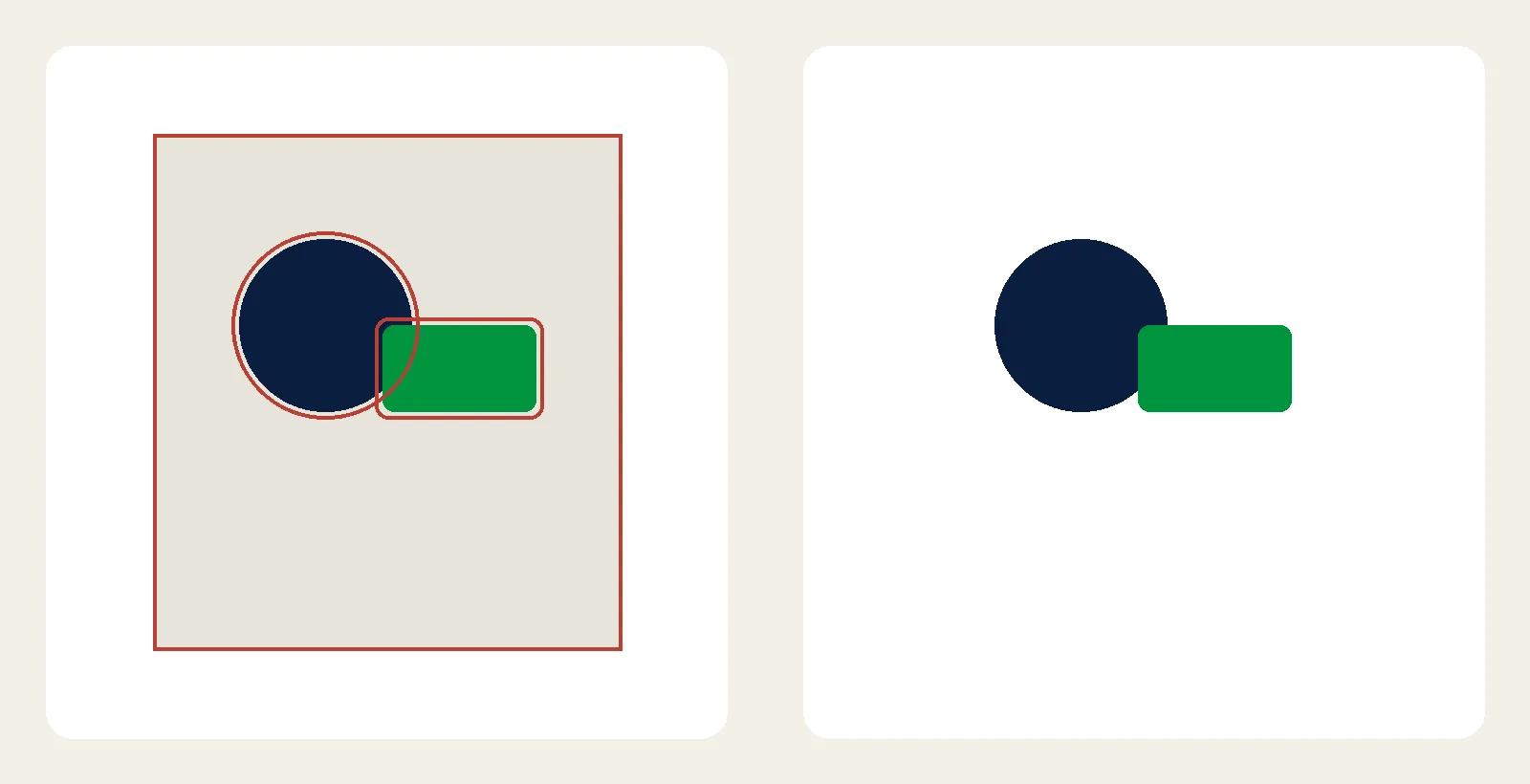
That rectangle is a property of the source file. Leaving it out of the vector is part of redrawing the mark, the same way you leave out glare in a photo of a sign. A PNG can carry a transparent edge, and that edge has its own tracing problems; if your file is a PNG, that case is covered in converting a PNG to vector.
What fails when the file reaches a machine
A traced JPG can look acceptable in a preview and still be rejected by the equipment it was made for. The usual failures:
- Open paths. A cutter, router, or engraver has to return to its start. Traced output is full of gaps where the halo faded out. The blade stops, or it jumps.
- The canvas, still in the file. If the background rectangle survived, the plotter will cut a box around the decal. It looks correct on screen because the box is the same color as the artboard.
- Too many nodes. Every compression stair becomes a direction change. On a large decal the edge looks chewed, and the cutter slows or stutters along the sawtooth.
- Live type. A font that is not outlined will substitute on the next computer. Letterforms that were traced through ringing will not match the original face either — set the type, or redraw it, then outline it.
- Colors that were never separated. A JPEG is almost always RGB. Screen printing and spot-color vinyl need each color on its own shape. The compressor has already blended the boundaries, so a color trace will not hand you plates.
Embroidery has the same problem in a different form. Compression speckle becomes tiny color islands. A digitizer cannot stitch islands that were never in the logo. The useful file is a small set of closed color regions, drawn on purpose, which the digitizer then turns into stitches. The same closed-path rule is what a plotter needs, covered in vinyl decal cut paths.
Which file to hand off
| Format | Best for | Watch out for |
|---|---|---|
| SVG | Web and simple logo delivery | Outlined type, or the font will not travel |
| EPS | Screen print and older RIPs | Older readers ignore transparency, which a JPEG never had anyway |
| AI | The editable master | Needs Illustrator to open the native file |
| Proofs and print handoff | A PDF can still be a JPG placed on a page | |
| DXF | Laser, CNC, and routing | Closed paths and real scale, or the toolpath is wrong |
Ask the shop what their software expects before you argue about formats. The machine at the far end settles it. The trade-offs among these formats are spelled out in vector file formats.
When the trace is enough, and when to stop
Try the trace when the JPG is large, the edges are still hard, the colors are flat, and the file is going somewhere you can inspect — a web SVG, a one-color proof, a layout that will not be cut. You may not need anyone's help, and paying for a redraw of a clean file is wasted effort.
- You can see 8×8 blocks or a gray halo at a normal zoom.
- The only copy is a screenshot, a social-media export, or a photo of the printed piece.
- Type has to match a specific face.
- The job is going to a cutter, router, press, or embroidery machine.
- You have already spent longer deleting nodes than a redraw would take.
That last test is the one people skip. Cleanup on a bad JPEG trace does not have a clear end, because the error is in the source. Rebuilding the mark from the shapes you can still see is usually the faster way to a file that cuts. VectorWiz does that as hand-drawn vector conversion: the artwork is reconstructed as deliberate paths, rather than repaired one compression stair at a time.
A file the shop can actually run
If the JPG is clean and the stakes are low, trace it and check the paths. If the compression has already eaten the edges, or the file is heading for a machine, a redraw is the shorter route to something that works. The general method for any raster, not just JPEG, is in how to convert raster to vector. When the source is a JPG and the output has to cut or print, you can send the file and get back paths that were drawn, not traced.
Frequently asked questions
Is a JPEG the same thing as a JPG?
Yes. JPG and JPEG are the same format. JPG is the shorter extension from the era of three-letter file names. Either one converts the same way. What changes the result is compression, pixel size, and whether the artwork is flat color or a photograph.
Can I convert a JPEG to vector without Illustrator?
Yes. Inkscape is open-source, and Path > Trace Bitmap covers the same ground as Image Trace. The limit is the JPEG, not the software. Heavy compression and a background fused to the artwork survive the trace until someone cleans them up or redraws the mark.
Why does a traced JPG have wavy edges?
JPEG stores the image in 8×8 blocks and softens high-contrast edges with a gray halo. A tracer fits a node to that halo. Zoom to 400%. If the edge is a staircase of blocks rather than a hard boundary, the wave is the compression, and simplifying the path only hides part of it.
Does a JPG have a transparent background?
No. JPEG has no alpha channel, so the background is ordinary pixels. A tracer often outlines the canvas rectangle along with the artwork. A redraw builds only the shapes that belong to the mark, because those background pixels were never part of it.
Can a traced JPG be cut on a vinyl plotter?
Only after the paths are closed, the node count is brought down, and the canvas rectangle is not part of the cut. Raw traces follow compression stairs, and the blade cuts every stair. A small or heavily compressed JPEG is usually faster to redraw than to repair.
Related articles
Drawn by hand. Built for production.
Hand-redrawn from $19, back in 24 hours. Upload for an instant price, no commitment.