Vinyl Cutting Artwork Requirements: A Client Submission Checklist

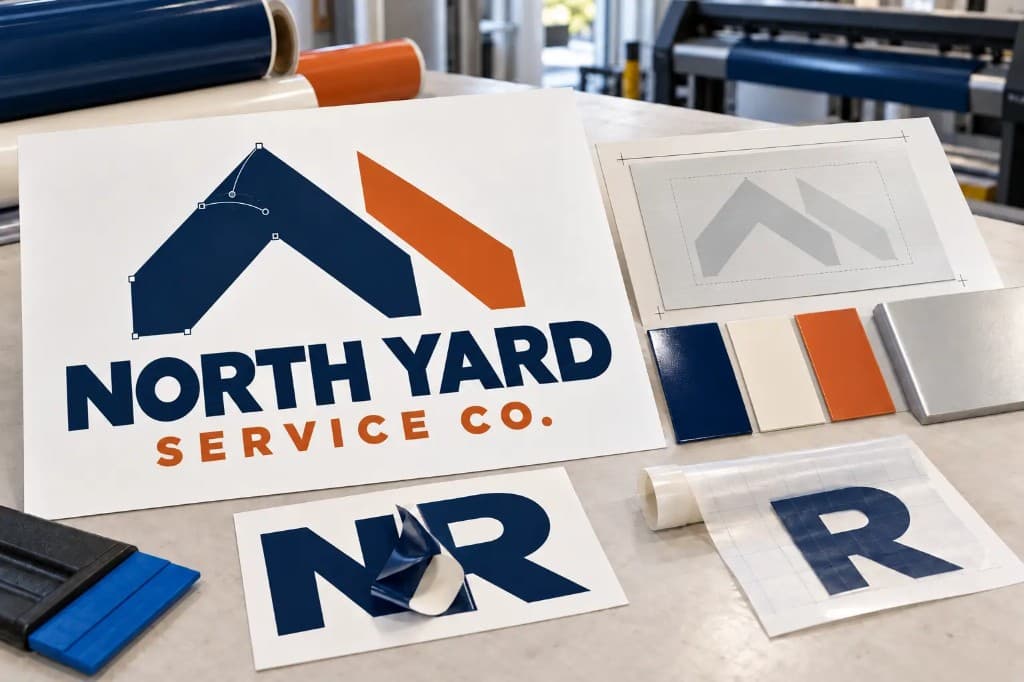
Friday, 4:40 pm. A truck door job is due Monday, the roll of cast vinyl is already on the cutter, and the client's logo arrives as a phone screenshot of their Facebook profile picture. Anyone who has run a plotter knows the sinking feeling. A vinyl cutter follows lines, not pixels, so that file has to be redrawn before a single cut happens, which is exactly the kind of job VectorWiz redraws by hand for sign shops. The good news is that the basic vinyl cutting artwork requirements are short: a vector file, text turned into outlines, strokes turned into fills, closed shapes, and one layer per vinyl color at final size.
What are the vinyl cutting artwork requirements?
A vinyl cutter moves a blade along the paths in a file. It doesn't read color, shading, or pixels. So the artwork has to be built from clean paths the blade can trace from start to finish.
Every requirement on the checklist comes from that one rule. A missing path means a missing cut. A doubled path means the blade cuts the same spot twice. An open shape means the piece won't lift cleanly off the backing during weeding, and someone ends up picking at it with a hook.
What file format does a vinyl cutter need?
It needs a vector file. AI, EPS, SVG, and PDF saved from a design program are the usual choices for sign cutting software. Cricut Design Space, for example, uses SVG or DXF as cut files. Check your own software's import list before telling clients what to send.
The file ending alone proves nothing. A PDF or EPS can hold a flat photo inside it, and a flat photo won't cut. Zoom in close: blocky edges mean it's a raster image.
Canva logos are a common case: they can be downloaded as SVG, but any photo or image element inside stays pixels. That's why most vinyl cutter file requirements are really about what's inside the file, not the format name.
What should clients send for a vinyl cutting job?
Most clients don't know how to prepare artwork for vinyl cutting, and they shouldn't have to guess. Nobody enjoys hearing that the logo they love is "wrong," and a written list keeps that conversation friendly. This artwork submission checklist is written for the client to read, so it can go straight into a quote email or order form.
- Send a vector file (AI, EPS, SVG, or vector PDF). Screenshots, JPEGs, and Word files can't be cut.
- Convert all text to outlines, so a missing font can't be replaced by a different one.
- Convert strokes to fills. Borders and outlines need to be filled shapes.
- Make sure every shape is closed.
- Merge any shapes that overlap.
- Put each vinyl color on its own named layer.
- Build the artwork at final size, or state the size.
- Delete backgrounds, photos, and hidden layers.
- Say how it will be applied. Heat transfer vinyl and inside window lettering are cut in reverse, so send the design as it should look and let the shop flip it.
- For printed decals, send the print art plus a separate contour cut line on its own layer.
Two items confuse clients more than the rest. First, color. Screen colors don't match vinyl, so ask the client to pick from the vinyl maker's printed color chart or a physical swatch, then write the color name or number on the order.
Second, the cut line on printed decals is usually a spot color with a name the printing software recognizes. Roland VersaWorks, for example, reads a spot color named CutContour as the cut line. Put the name your setup expects in the client instructions.
Send the file that won't cut. Get it back ready to weed.
Text outlined, strokes turned into fills, one named layer per vinyl color. The price shows at upload.
Need something custom? Email hello@vectorwiz.com
Where can a client find a vector version of their logo?
The designer who created the logo usually has the original AI or EPS file, and so does any shop that printed the client's shirts, business cards, or earlier signs. Ask the client to request "the original vector file" by those exact words. Asking for "the logo" brings back another JPEG. If nobody has it, the logo needs a redraw.
What is the difference between a client file and a cut ready file?
| Item | What clients usually send | What the cutter needs |
|---|---|---|
| File type | JPEG, PNG, screenshot, Word file | AI, EPS, SVG, or vector PDF |
| Text | Live font | Converted to outlines |
| Borders | Strokes | Expanded into filled shapes |
| Shapes | Open ends, stray points | Closed paths, clean nodes |
| Overlaps | Stacked shapes | Merged into one shape |
| Color | Colors picked on screen | One named layer per vinyl color |
| Direction | Art as it looks on screen | Noted as HTV, inside glass, or outside surface |
| Printed decals | One flat image | Print art plus a contour cut line |
Why does the cutter cut through the middle of an outline?
The outline is a stroke. Most cutting software follows the path itself, not the stroke width shown on screen. So a thick white border around red letters gets one thin cut down its center instead of two edges, and neither the letters nor the border are usable. On a screen it looked perfect, which is what makes this mistake so frustrating.
The fix is a stroke to fill conversion, which turns the border into a real shape with an inside edge and an outside edge. Each program names the three common fixes differently:
| Task | Illustrator | CorelDRAW | Inkscape |
|---|---|---|---|
| Text to outlines | Type, Create Outlines | Convert to Curves | Path, Object to Path |
| Stroke to fill | Object, Path, Outline Stroke | Convert Outline to Object | Path, Stroke to Path |
| Merge overlaps | Pathfinder, Unite | Weld | Path, Union |
Overlaps waste vinyl the same quiet way. Stacked shapes get cut twice where they cross, and the slivers tear during weeding. This is why VectorWiz holds every file to closed paths with clean nodes and no stray anchors. It's one of the six production standards the studio applies to every job.
How do you check a client file before it goes to the cutter?
Open it in outline view first. In Illustrator that's View, Outline, and it shows every path the blade will follow with all color hidden. Stray points, hidden boxes, and doubled shapes stand out right away. Then match each layer to a vinyl color on the job ticket and check the size. Catching a problem here is a lot easier than explaining a reprint to the client.
For thin lines or small lettering, test cut and weed a scrap first. A small offcut costs far less than a ruined sheet of cast vinyl.
If the only problems are live text or a stray stroke, fix them in house with the commands above. Sending a two minute fix out, to VectorWiz or anyone else, isn't worth the money.
Why do some files cost more to fix than others?
At VectorWiz, a designer sets the price by weighing six factors: color count, source quality, geometric complexity, type treatment, workflow specificity, and whether the job is a faithful redraw or a rebuild from a rough source. A clean, high resolution file pulls the tier down, while a damaged scan or distressed lettering pushes it up. Borderline jobs round to the nearest tier, usually down.
For vinyl work, single color lettering or a simple monogram is usually Tier 1 at $19. A 3 to 5 color decal or sign panel is usually Tier 2 at $57. The price shows at upload and is locked at checkout, before any billable work starts. If the scope grows after approval, it becomes a new quote, not a surprise charge.
What if the client only has a JPEG or screenshot?
Auto trace can handle a bold, simple shape, but on script lettering, small logos, or old scans it adds extra points and bumpy curves, and the blade follows every one of them.
VectorWiz redraws by hand, with no auto trace, and preps the file for how it will be cut: text outlined, strokes turned into fills, one named layer per color, and registration marks when layers need to line up. Delivery is layered AI, SVG, and PDF, with EPS, DXF, GraphTec, or Cricut files on request at no extra cost. A file that doesn't cut or weed correctly is redrawn free under the 100 percent remake guarantee.
One honest limit: VectorWiz assumes the customer has the right to reproduce the artwork. It won't recreate a trademarked logo for a shop that isn't authorized to print it, and it flags unclear cases before starting.
How do you get cut ready artwork from every client?
Start with the checklist. Put it in every quote email and on the order form, check each file in outline view, and fix small issues in house.
Upload the files that fail, like photos, screenshots, worn scans, and script lettering, on the VectorWiz order page. The price shows at upload, and if a designer finds the job is bigger than described, VectorWiz gets in touch before any extra charge. Add the install size, the surface, the vinyl colors, and how the design will be applied in the job notes, so the file comes back ready to cut, weed, and apply. For bulk lettering or an unusual job, email hello@vectorwiz.com. With a clear checklist and a dependable redraw option, that Friday screenshot stops being a crisis.
Frequently asked questions
What is the best file format for vinyl cutting?
AI, EPS, SVG, or a vector PDF, as long as your cutting software imports it.
Do fonts need to be outlined before cutting vinyl?
Yes. Outlining turns letters into shapes, so a computer without the font can't swap in a different one.
Should a design be mirrored for heat transfer vinyl?
Yes. Heat transfer vinyl is cut in reverse, because it's cut from the back with the carrier sheet facing down. The shop should do the flip, so it only happens once.
How small can text be for vinyl cutting?
There's no single safe size; it depends on the font, vinyl, and blade. Thin letters and small closed spaces, like the inside of an "e", lift first during weeding, so run a test cut.
How much does it cost to turn a logo into a vinyl cut file?
At VectorWiz, simple lettering is usually $19 and a 3 to 5 color decal $57, with no setup fees.
How fast is a cut ready file delivered?
Standard is 24 hours, Rush is 12 hours for 50 percent extra, and Flex is 3 business days for 10 percent off. The rush queue runs through weekends.
Why does vinyl lift or tear during weeding?
Usually because a shape isn't closed, two shapes overlap, or a detail is too thin for the material. A worn blade or the wrong blade depth can cause the same problem, so a test cut helps separate a file problem from a machine problem.
Naimur Rahman
Leads design direction and quality at VectorWiz. Reviews and redraws production artwork by hand across sign, wrap, screen-print, and CNC work.
Related articles
Drawn by hand. Built for production.
Instant pricing, no commitment. Production-correct vectors in your inbox in 24.