Vehicle wrap art guidelines: vector file prep that holds at full scale.
Wrap-ready art is vector, built at full panel scale, with bleed and seam overlap, contour-cut paths on a named layer, and brand colors separated as spot values. Raster logos pixelate the moment you scale them across a door or hood, so the safe input for a wrap RIP is a clean vector rebuild — not an upscaled JPG. This guide covers what each of those means and how the file should reach your printer.

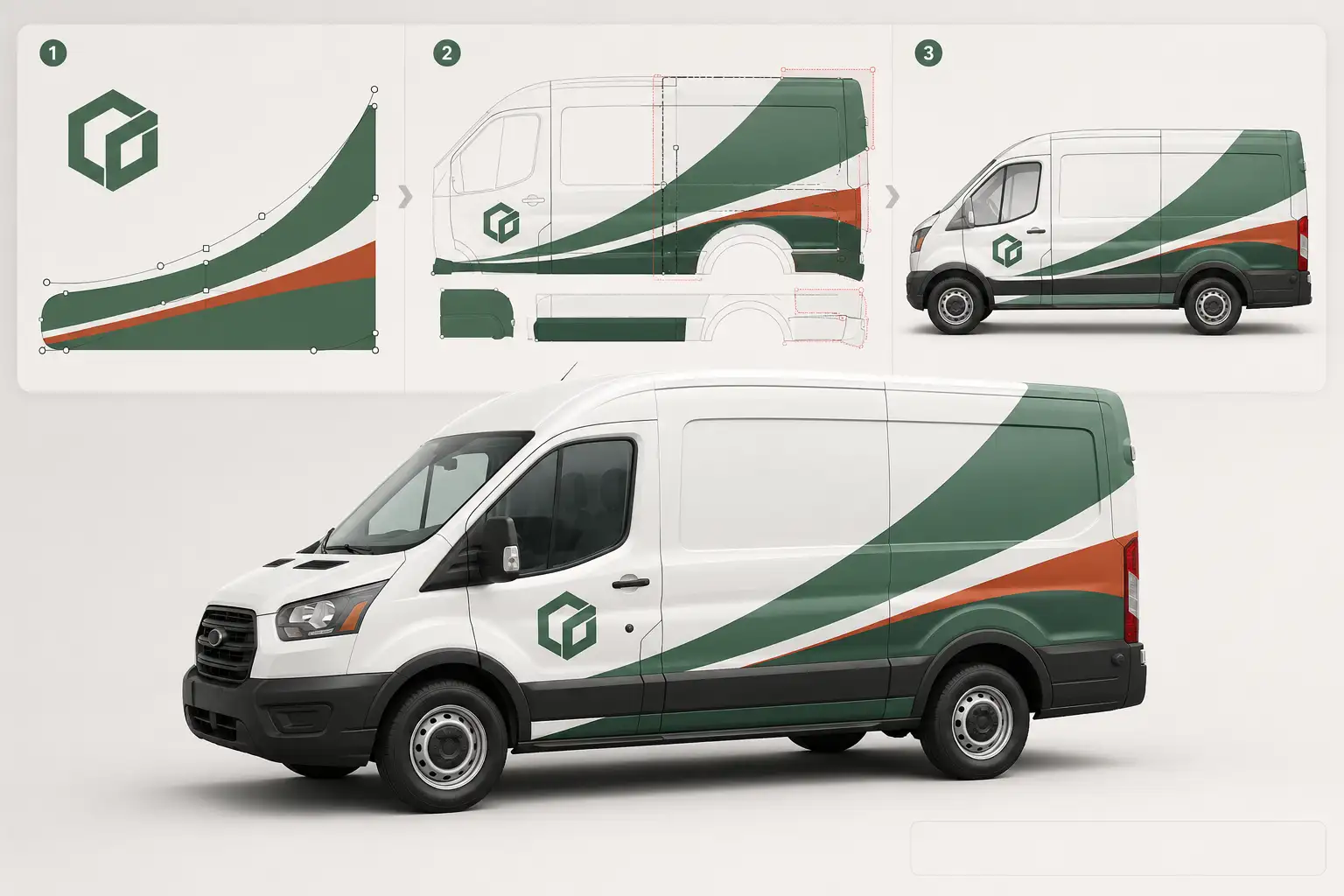
A wrap lives or dies on the file. Get the vector art right — full scale, bleed, cut paths, color — and the printer, laminator, and installer all move without a re-do. Get it wrong and you find out at the plotter, or worse, on the vehicle. Here is what wrap-ready art means, panel by panel.
1. Vector, at full scale
A wrap is the largest thing your art will ever be printed on. A logo that reads perfectly on a card has to survive being blown up to fill a door, a hood, or a whole trailer side. Raster files — JPG, PNG, a screenshot of a logo — are fixed grids of pixels; scale them up and the edges break into visible steps and blur. Vector art is math, not pixels, so it stays razor-sharp at any size. Wrap art should be vector from the start, and built at the real install dimensions so nothing is guessed at output.
2. Bleed and seam overlap
Every printed panel needs artwork extending past the trim line (bleed) so that alignment drift at install never leaves an unprinted sliver of substrate showing. Where two panels meet a seam, the art needs overlap so the colors and graphics carry continuously across the joint. The exact amounts come from your printer's vehicle template, but the principle is universal: never build art to the exact edge.
Because the right number depends on the panel and the printer, we keep a separate reference for typical ranges. See the bleed-by-panel chart →
3. Contour-cut and registration paths
Partial wraps, decals, window perf, and spot graphics get cut, not just printed. Those cut lines belong on their own named layer as clean, closed vector paths — with registration marks so the plotter or print-cut workflow lines the cut up with the print. Cut paths mixed into the artwork layer, or left as open strokes, are where print-cut jobs stall.
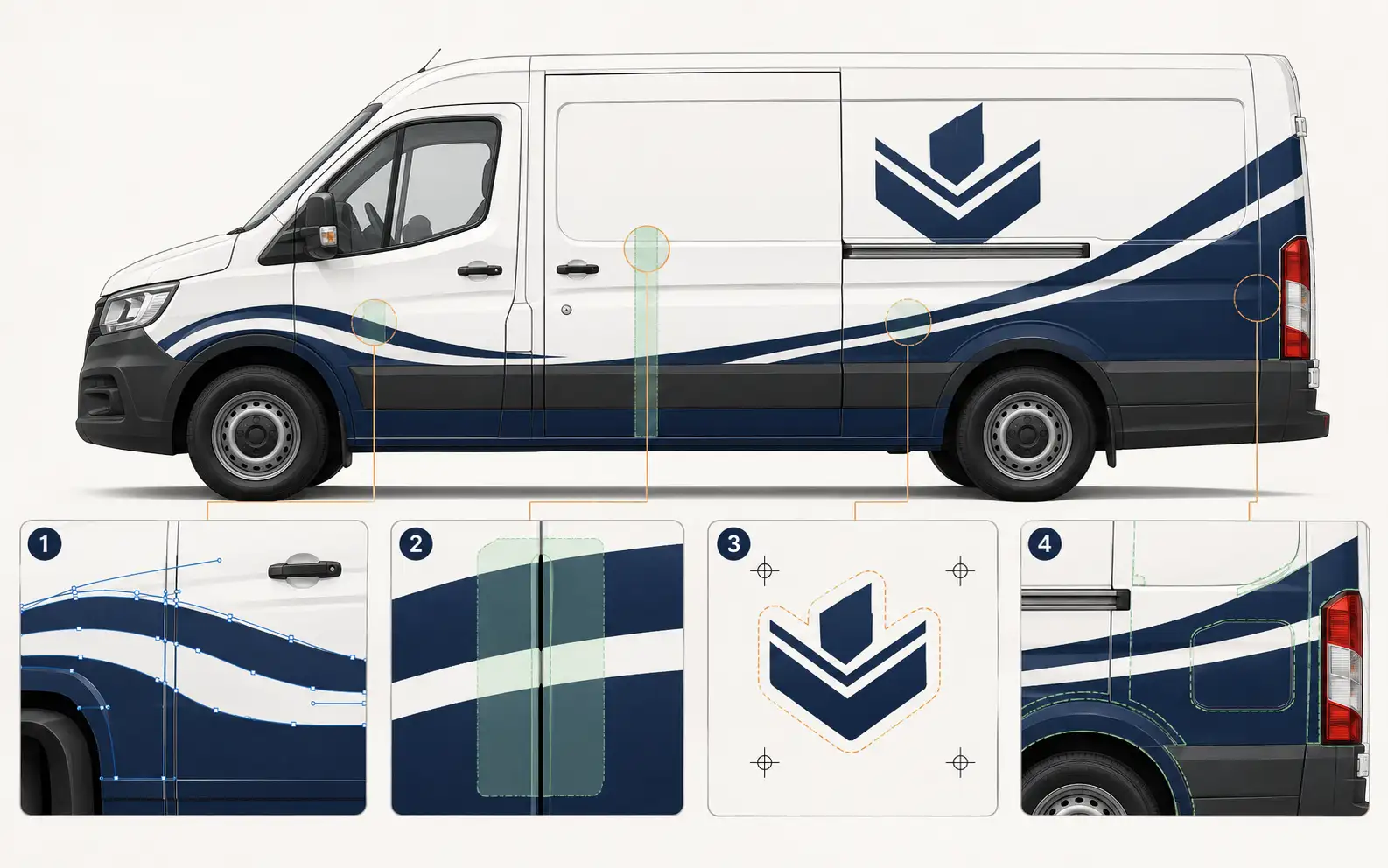
4. Color your printer can trust
Brand color is what a fleet manager notices first. Wrap art should arrive with colors separated and named to a spot or Pantone value, not left as an ambiguous RGB fill, so the printer's color management has a single unambiguous target to hit on cast film. That is doubly true for cast wrap vinyl, where the film and laminate shift how a color reads.
Panel-scale vector, bleed and cuts built in. Redrawn by hand for your printer.
Full-coverage panels, seam overlap, contour-cut layers, and spot-matched brand color — production-correct and RIP-ready in 24 hours.
Need something custom? Email hello@vectorwiz.com
5. The format your wrap RIP wants
Most large-format wrap RIPs want AI, EPS, or PDF with live vector paths, not a flattened raster. That keeps the art editable per panel and razor-sharp at output. Which of the three depends on your printer and RIP software — we cover the trade-offs in the format guide.
When the customer's logo is bad
Most wrap jobs do not start with a print-ready file. They start with whatever the customer has: a logo lifted from their website, a photo of a business card, an old JPG a designer sent years ago. None of those are wrap-ready. Rather than send it back and stall the job, the fix is to re-illustrate the mark as clean vector — matching the original exactly, but rebuilt so it holds at full body scale. That is the core of what a wrap shop hands us: turn a bad customer file into panel-ready art without slowing the install date.
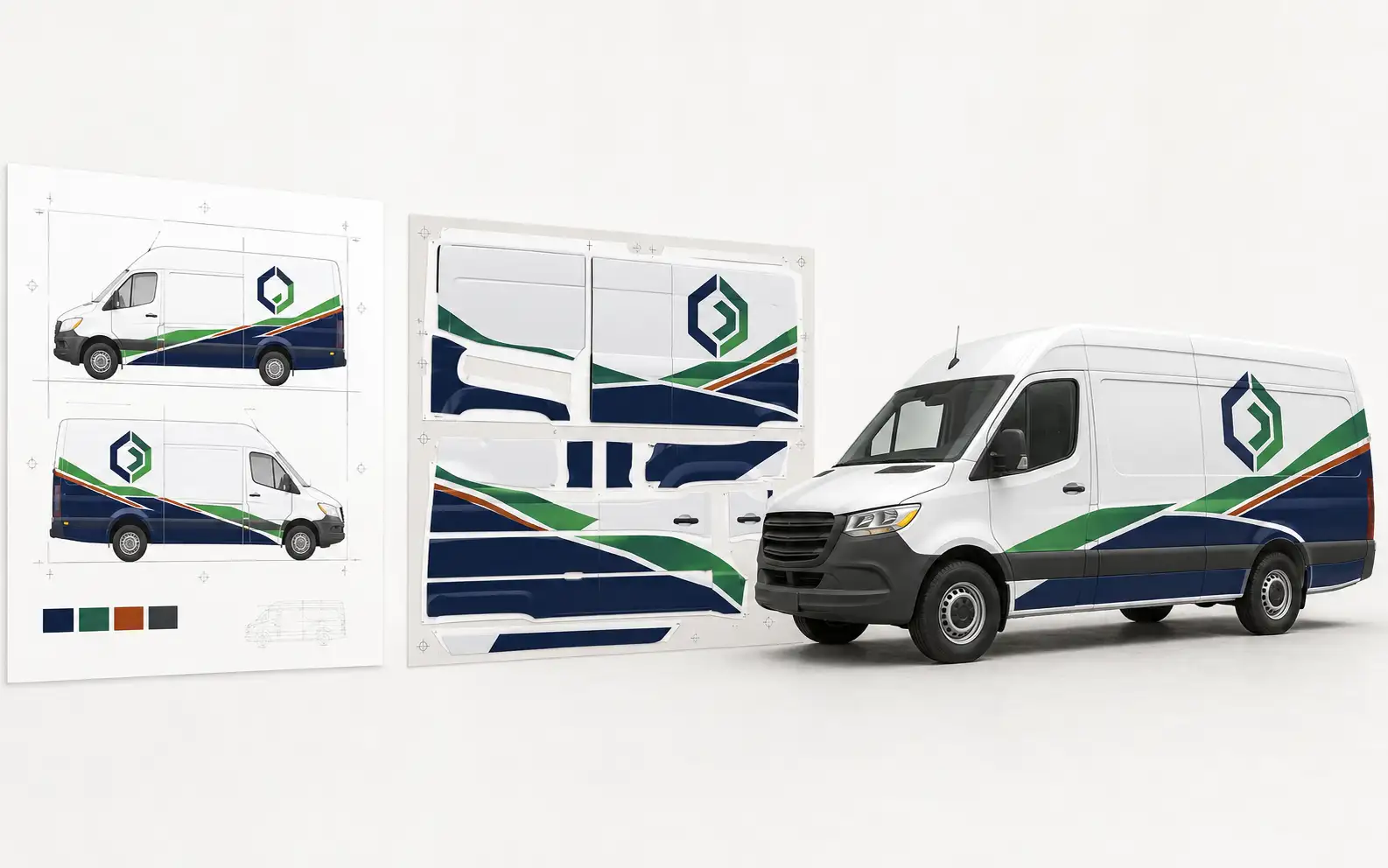
What VectorWiz delivers for wraps
- Layered AI, EPS, and PDF at full panel scale (DXF on request).
- Bleed and seam overlap laid into the panels where your template needs it.
- Contour-cut paths on a named layer with registration marks for partials and decals.
- Brand colors separated and matched to your Pantone or spot spec.
- Logos and graphics rebuilt by hand — never auto-traced, never pixelated at install size.
It is manual vector conversion, not wrap design or installation — we prep the file so your team prints and installs it clean. Standard turnaround is 24 hours, with Rush at 12.
Frequently asked questions
What file should I send my wrap printer?
A layered vector — AI, EPS, or PDF — built at full panel scale, not a raster JPG or PNG. Vector holds a crisp edge from a decal to a full body wrap. If all you have is a logo photo or a low-res file, that is exactly what we rebuild.
Do I need to add bleed to wrap art?
Yes. Every printed panel needs bleed past the trim line plus overlap where panels meet a seam, so no substrate shows through after install. How much depends on your printer's template — see the bleed-by-panel chart for typical ranges.
Can you rebuild a low-res customer logo for a full wrap?
Yes. A logo that looks fine on a business card falls apart across a hood or door. We re-illustrate it as clean vector by hand so it stays sharp at any panel size — never auto-traced, never upscaled.
How do you match brand colors on cast vinyl?
We separate the art into named spot colors and match to your Pantone or brand spec so the printer's color management has an unambiguous target. See the PMS vs CMYK and Oracal grade guides for how that carries onto cast wrap film.
Do you include contour-cut paths for partial wraps and decals?
Always, when the job needs them. Cut paths sit on a named layer with registration marks so your plotter or print-cut workflow picks them up cleanly for partials, window perf, and spot graphics.
How fast is turnaround on wrap art?
Standard is 24 hours from checkout; Rush is 12 hours for a surcharge, and Flex is 3 business days. Multi-panel and full-fleet jobs are handled the same way — email hello@vectorwiz.com for bulk work.
Naimur Rahman
Leads design direction and quality at VectorWiz. Reviews and redraws production artwork by hand across sign, wrap, screen-print, and CNC work.
Related articles
Drawn by hand. Built for production.
Instant pricing, no commitment. Production-correct wrap art in your inbox in 24.